


xmlrpc.php is a core WordPress file that enables remote communication with your website through the XML-RPC protocol. It allows external applications and services to interact with your site without needing direct access to the WordPress dashboard.
In earlier versions of WordPress, XML-RPC was disabled by default. However, starting from version 3.5, it has been enabled by default to support features like integration with the WordPress mobile app, allowing it to communicate seamlessly with WordPress installations.
What xmlrpc.php Does
Originally introduced to support remote publishing, it allows:
- Publishing content through mobile applications (such as the WordPress app)
- Remote management tools (e.g., Jetpack)
- Trackbacks and pingbacks between blogs
- Using an outdated version of WordPress (earlier than 4.7)
Security Risks of xmlrpc.php
While useful, it’s also a common attack vector:
1. Brute Force Attacks
Hackers use xmlrpc.php to bypass security measures. The file enables attackers to try hundreds of password combinations with a single request, making such attempts harder for traditional security tools to detect.
2. DDoS Amplification (Pingback Abuse)
Attackers can exploit the pingback feature to carry out Distributed Denial of Service (DDoS) attacks, effectively using your site as a tool to target and disrupt other websites.
3. Authentication Bypass Attempts
Although less common today, misconfigured setups can still be vulnerable to exploitation.
Why You Should Disable xmlrpc.php
The primary reason to disable xmlrpc.php on your WordPress site is that it can introduce security risks and is often targeted by attackers.
Since XML-RPC is no longer essential for external communication with WordPress, keeping it enabled offers little benefit. Disabling it is a simple step to strengthen your site’s security.
1.How to Verify if xmlrpc.php Is Enabled on Your Site:
Before disabling xmlrpc.php, it’s important to verify whether it’s already active. In many cases, hosting providers or security plugins may have disabled it for you.
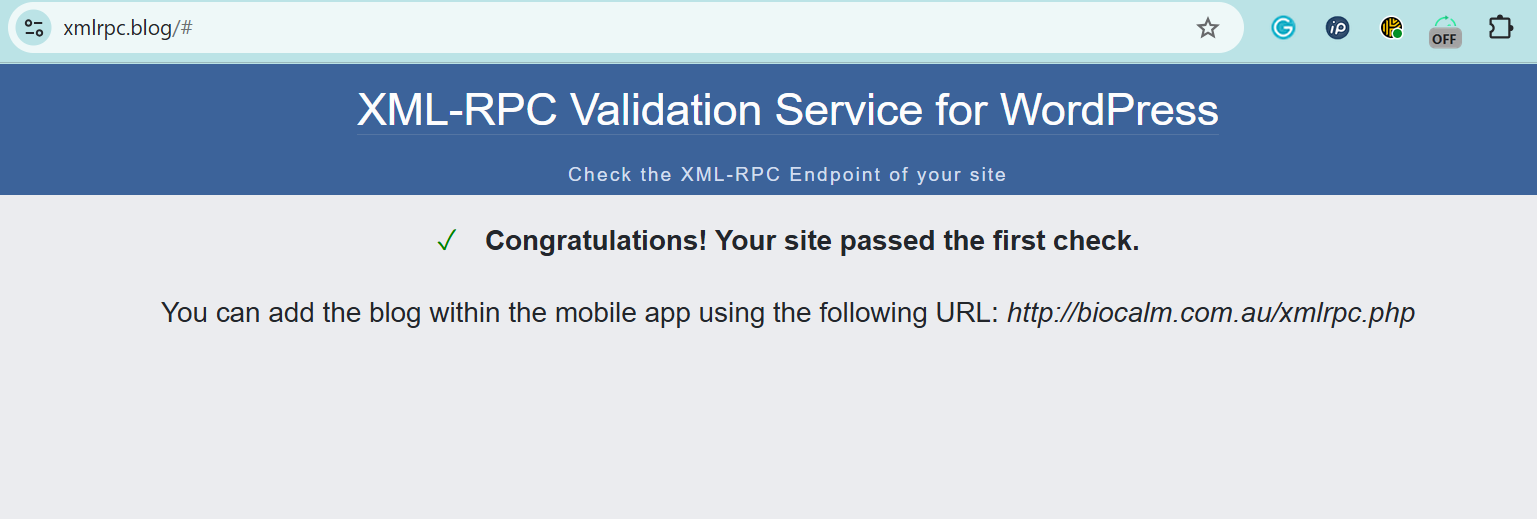
Method: The XML-RPC Validator Tool
One of the easiest ways to check is by using a free online validator tool.
Steps:
- Open the tool
Go to: https://xmlrpc.blog/ - Enter your website URL
Type the full address of your WordPress site (for example, http://biocalm.com.au ). - Run the check
Click the “Check” button to analyze your site. - Review the results
- If you see a green success message, it means xmlrpc.php is enabled and accessible.
- If you see a red error message, it likely means the file is disabled or blocked (which is generally a good sign for security).
How to Disable xmlrpc.php
Method 1: Disable via Plugin (Easiest)
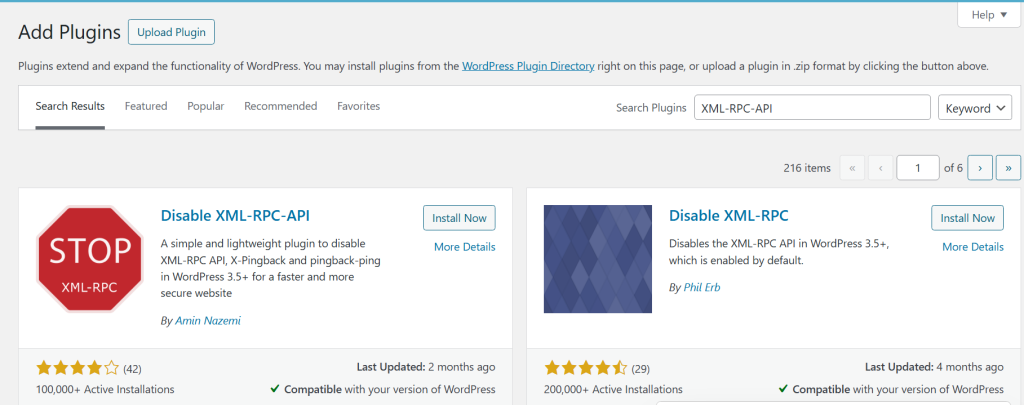
Disabling XML-RPC on your WordPress site is easy with a plugin. From your WordPress dashboard, go to Plugins >> Add New, then search for “Disable XML-RPC-API.” Install and activate the plugin.
Once activated, the plugin automatically applies the necessary settings to disable XML-RPC on your site, no additional configuration required.
Method 2: Block via .htaccess
Add the following code to your .htaccess file to block incoming requests before they reach your WordPress application:
<Files xmlrpc.php>
    Order Allow,Deny
    Deny from all
</Files>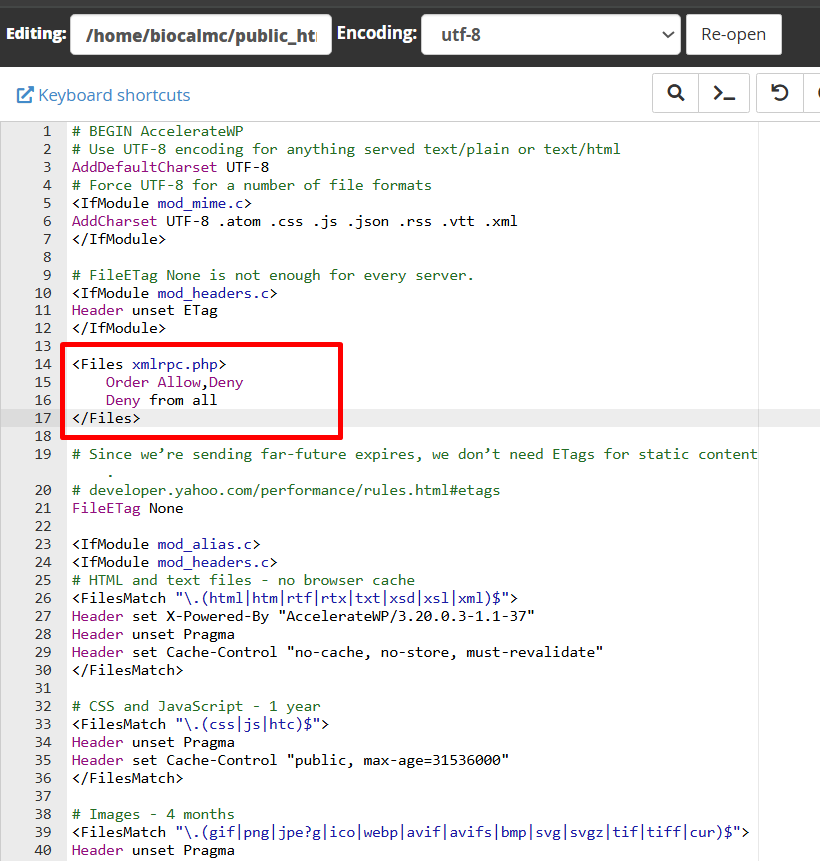
Method 3: Disable via Functions File
Add this to your theme’s functions.php:
add_filter('xmlrpc_enabled', '__return_false');Method 4: Block via Server (Nginx)
If you use Nginx:
location = /xmlrpc.php {
deny all;
}
Should You Disable xmlrpc.php ?
Whether you should disable xmlrpc.php depends on how your WordPress site is configured and how you use its features.
Disable it if:
- You don’t use remote publishing tools
If you primarily use the standard WordPress dashboard to create and manage your content, XML-RPC doesn’t offer any meaningful advantage. - You don’t rely on external services like Jetpack
Many modern WordPress sites don’t need XML-RPC anymore. If you’re not using features like remote management, stats syncing, or plugin-based backups, it’s safer to disable XML-RPC. In such cases, turning it off reduces your site’s attack surface and helps protect against common exploits.
Keep it enabled if:
- You use mobile publishing apps like the WordPress app
These apps rely on XML-RPC to communicate with your site, allowing you to create, edit, and publish content from a remote location. - You depend on third-party integrations that require XML-RPC
Certain legacy tools, services, or workflows still depend on XML-RPC for automation, publishing, or content synchronization. Disabling it may cause those features to stop working.
If you are uncertain, disable it and then test your site to ensure that no essential features are affected.
How to Secure XML-RPC If You Keep It Turned On?
If you choose to keep XML-RPC enabled, it’s important to take additional steps to reduce potential security risks:
- Enable login rate limiting
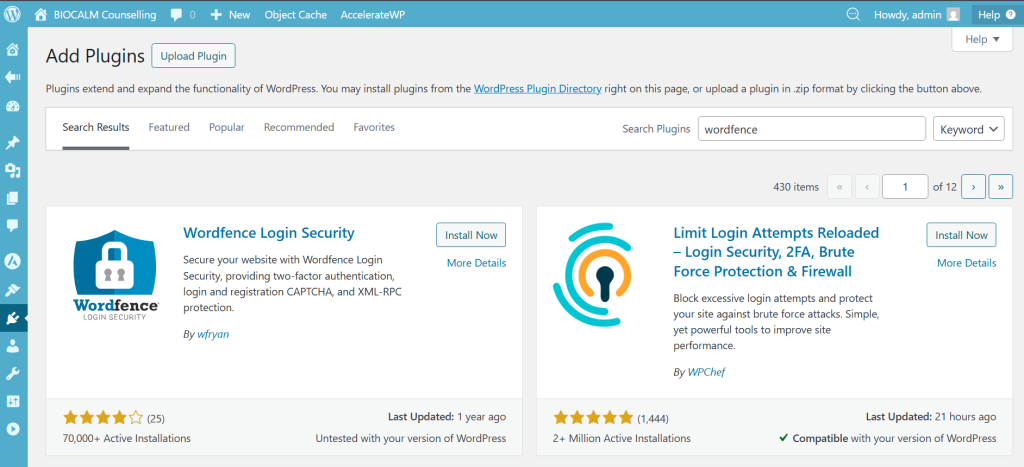
Limit the number of login attempts within a short period to protect your site from brute-force attacks that may target XML-RPC. - Use a security firewall like Wordfence
A reliable security plugin can monitor and block suspicious XML-RPC activity, including malicious requests and bot traffic.
Facing WordPress security issues or server-related technical problems?
Let the experts at SupportPro help you secure, optimize, and manage your website with reliable 24/7 technical support.
Facing issues?
Our technical support
engineers can solve it.


