

Managing EC2 instances at scale requires ensuring that all instances are properly configured and connected to AWS Systems Manager (SSM). Issues like missing or non-responsive SSM Agents and unmanaged instances can create operational gaps and disrupt automation. To solve this, we can use AWS Config, Amazon EventBridge, and AWS Lambda to build a monitoring and alerting system that continuously checks compliance, detects SSM Agent health issues in real time, and triggers alerts or remediation – improving visibility, security, and control across your AWS environment.
A. Checking EC2 Instances for SSM Agent Health Issues
Before implementing monitoring, first log in to the AWS Console and validate your EC2 environment for the following conditions:
- SSM Agent is not installed
Identify EC2 instances where the AWS Systems Manager (SSM) Agent is missing, which prevents remote management and automation. - SSM Agent is stopped or not responding
Detect instances where the SSM Agent is installed but inactive, unhealthy, or failing to communicate with AWS Systems Manager. - SSM is not managing the instance
Find EC2 instances that are not properly registered or managed by AWS Systems Manager, often due to missing permissions or configuration issues.
Architecture Flow for Monitoring & Alerting
EC2 Instance
      ↓
AWS Config (Managed Rule)
      ↓
EventBridge (NON_COMPLIANT Event)
      ↓
Lambda Function
      ↓
SNS / Email / Slack / Auto-remediation
B. Prerequisites
Before setting up monitoring and alerting, ensure the following requirements are in place:
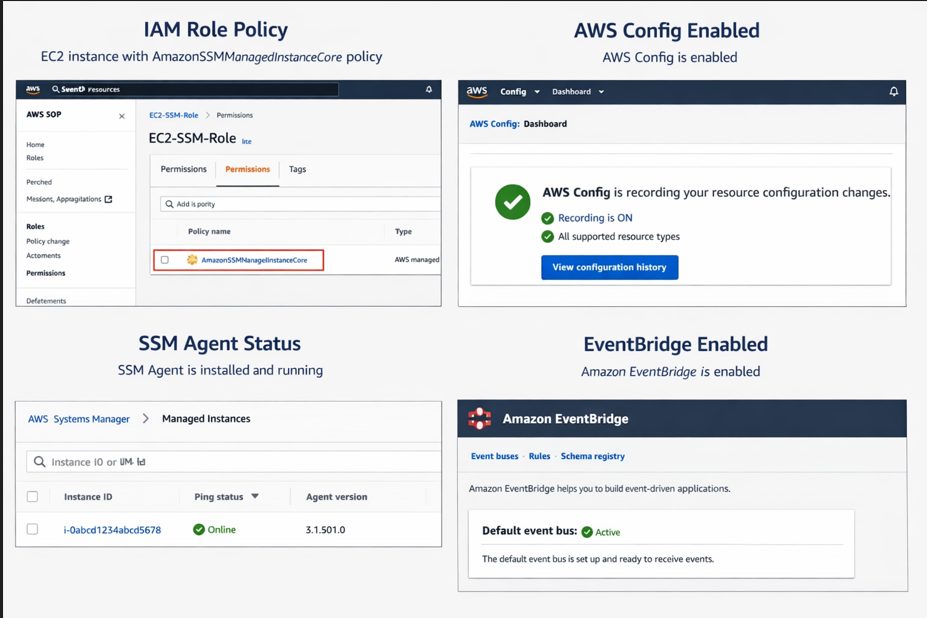
- IAM Role for EC2 Instances
Each EC2 instance must have an IAM role attached with theAmazonSSMManagedInstanceCorepolicy to enable Systems Manager access. - Enable AWS Config
AWS Config must be enabled to continuously evaluate resource compliance and track configuration changes. - Install SSM Agent on EC2 Instances
The SSM Agent must be installed and running on all target instances to allow proper communication with AWS Systems Manager. - Enable Amazon EventBridge
Amazon EventBridge must be enabled to capture compliance state changes and trigger automated workflows.
C. AWS Config Rule to Check SSM Agent Health
To monitor SSM Agent health effectively, you can use an AWS managed rule provided by AWS Config. This helps you automatically evaluate whether your EC2 instances are properly managed by AWS Systems Manager.
AWS offers a built-in rule called EC2_INSTANCE_MANAGED_BY_SSM.
What This Rule Checks
This AWS Config rule helps ensure the following:
- Verifies SSM management status
Confirms whether EC2 instances are being managed by AWS Systems Manager. - Checks SSM Agent availability
Ensures that the SSM Agent is installed and running on the instance, enabling proper communication with AWS SSM services.
Steps to Enable the Rule
- Open the AWS Config console
- Navigate to Rules
- Click on Add rule
- Search for EC2_INSTANCE_MANAGED_BY_SSM
- Configure the scope of the rule
- Set the resource type as: AWS::EC2::Instance
- Review and Save the rule
Once enabled, AWS Config will continuously evaluate your EC2 instances and flag any non-compliant resources where SSM is not properly configured or active.
D. Capture NON_COMPLIANT Events Using EventBridge
Once the AWS Config rule is active, the next step is to capture compliance state changes in real time using Amazon EventBridge. This allows you to automatically react whenever an EC2 instance becomes NON_COMPLIANT with the SSM Agent health rule.
EventBridge Rule
Create an EventBridge rule to listen for AWS Config compliance changes. This rule filters events where resources are marked as NON_COMPLIANT, specifically for the EC2_INSTANCE_MANAGED_BY_SSM rule.
When a violation is detected, the event is forwarded to downstream services such as AWS Lambda for processing.
E. Lambda Function for Alerting & Analysis
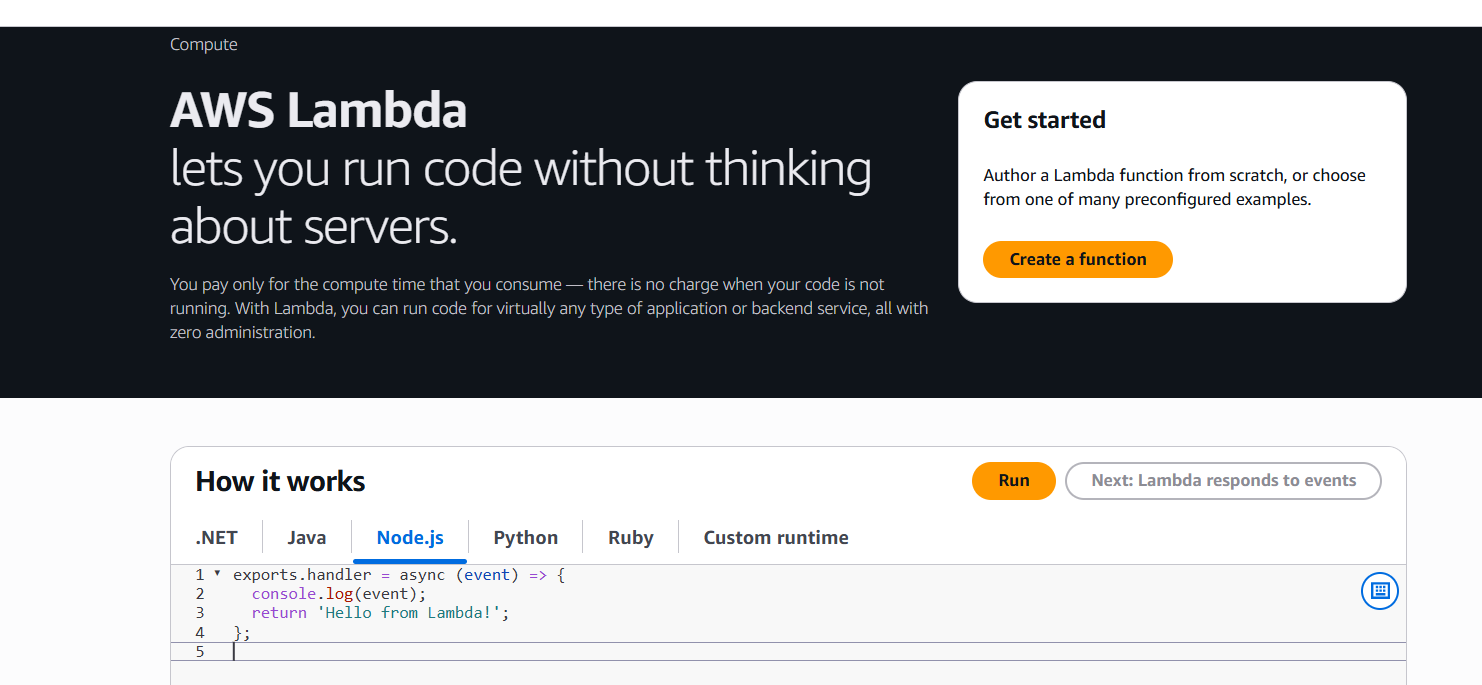
AWS Lambda is used to process NON_COMPLIANT events and trigger alerts or remediation actions. It acts as the core logic layer in the monitoring pipeline, analyzing the event and deciding the next step.
IAM Permissions for Lambda Execution Role
To ensure the Lambda function can properly interact with AWS services, attach the following permissions to its execution role:
- AWSConfigRulesExecutionRole
Allows Lambda to interact with AWS Config rules and retrieve compliance data. - AmazonSSMReadOnlyAccess
Grants read access to Systems Manager data for analyzing instance health and SSM status. - AmazonSNSFullAccess
Enables Lambda to publish notifications to SNS topics for alerts via email, SMS, or integrated channels like Slack.
With this setup, any NON_COMPLIANT EC2 instance is automatically detected, processed by Lambda, and forwarded as an alert or remediation action—ensuring continuous visibility and proactive security management.
F. Optional: Auto-Remediation
To go beyond monitoring and alerts, you can implement auto-remediation to fix SSM Agent issues automatically without manual intervention. This helps maintain continuous compliance and reduces operational overhead.
Using SSM Automation Runbook
You can leverage AWS Systems Manager Automation Runbooks to define remediation actions for common SSM-related issues.
In this setup, the Lambda function triggered by a NON_COMPLIANT event invokes an SSM Automation document to remediate the issue.
Automation Actions
The automation workflow can handle the following scenarios:
a. Install SSM Agent if missing
Automatically installs the AWS Systems Manager Agent on EC2 instances where it is not present.
b. Restart SSM Agent if stopped
Detects inactive or unresponsive agents and restarts the service to restore connectivity with AWS Systems Manager.
Conclusion
Monitoring SSM Agent health is essential for maintaining secure and manageable EC2 environments. By combining AWS Config, EventBridge, Lambda, and optional SSM Automation, you can build a fully automated system that not only detects non-compliant instances but also responds to them in real time. This approach improves visibility, reduces manual effort, and strengthens the overall security posture of your AWS infrastructure.
Facing challenges with AWS monitoring, EC2 management, or SSM Agent issues?
Get expert help from SupportPro for reliable cloud support, automation setup, and 24/7 technical assistance to keep your infrastructure secure and running smoothly.
Facing issues?
Our technical support
engineers can solve it.


