

If you are getting error while accessing the Rvsitebuilder from cpanel ==================== Fatal error: The encoded file /var/cpanel/rvglobalsoft/rvsitebuilder/www/ionctestlicense.php requires a license file. The license file /var/cpanel/rvglobalsoft/rvsitebuilder/rvsitebuilder.lic has expired. in Unknown on line 0 ===================== Then Please login to the server through root and execute. ======== root@server[#]rm -f /var/cpanel/rvglobalsoft/rvsitebuilder/rvsitebuilder.lic root@server[#] rm -f /var/cpanel/rvglobalsoft/rvsitebuilder/rvsitebuilder-pro.lic root@server[#] perl /usr/local/cpanel/whostmgr/docroot/cgi/rvsitebuilderinstaller/autoinstaller.cgi ======== This will fix the issue If you require help, contact SupportPRO Server Admin
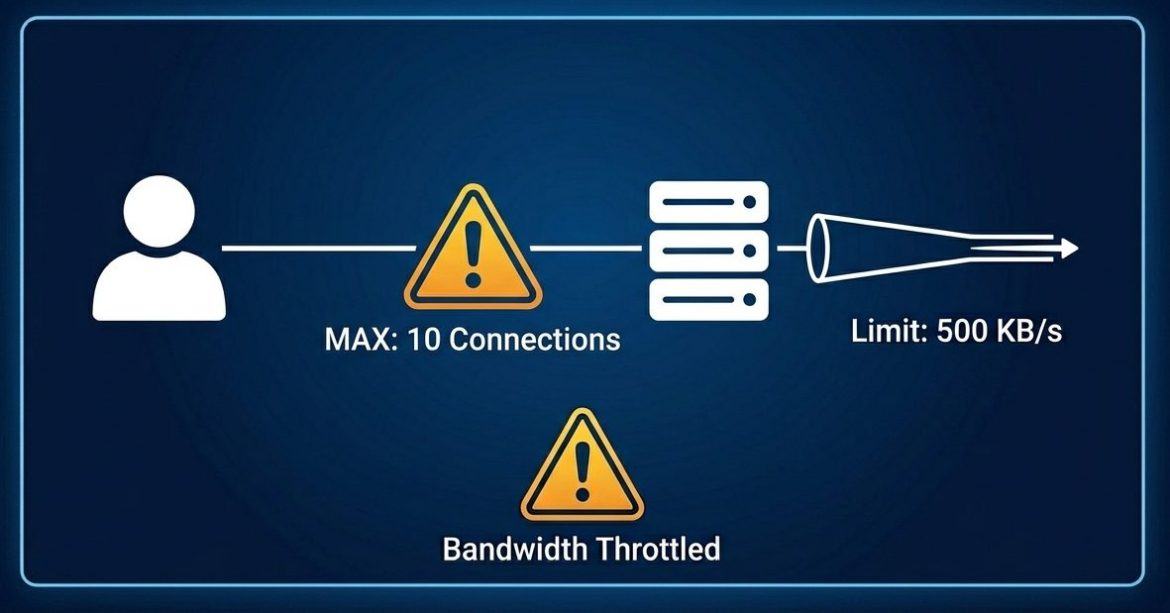
Managing server resources efficiently is essential for maintaining performance and stability. If a particular domain or directory is consuming excessive bandwidth, you can control its usage using the mod_bw module in Apache. The mod_bw (bandwidth module) allows administrators to restrict bandwidth usage and limit the number of simultaneous connections for specific virtual hosts (vhosts) or directories. This is especially useful in shared hosting environments where resource control is critical. When to Use mod_bw You can use mod_bw when: Steps to Install and Configure mod_bw 1. Check Apache Version Run the following command to verify your Apache version: 2. Download the mod_bw Module 3. Extract the Package 4. Review Configuration Instructions 5. Install the Module 6. Create Configuration File 7. Verify …
Have issues with 100% diskspace in your Linux dedicated server. An easy and quick way is to clear the log files and thereby you can acquire quite a large amount of usable diskspace. Check the following: 1. Check the total disk usage: [root@testserver /]# df -h 2. Check the size of a each folder: [root@testserver /]# du -sch * or du -sch /foldername command
Optimizing MySQL performance is critical for high-traffic applications. This guide explains how to monitor and tune MySQL for efficient resource usage, focusing on modern defaults, InnoDB, and current best practices. 1. Check MySQL Status and Variables Log in to your MySQL server: mysql -u root -p Check general statistics: SHOW STATUS LIKE ‘%tables%’; SHOW VARIABLES LIKE ‘table_open_cache’; Analysis: Open_tables – Number of tables currently open Opened_tables – Tables opened because the cache was too small Tuning tip:If Opened_tables increases rapidly, increase table_open_cache in your my.cnf : [mysqld] table_open_cache = 4000 2. Thread Cache Check thread usage: SHOW STATUS LIKE ‘Threads_created’; SHOW STATUS LIKE ‘Threads_connected’; Explanation: Threads_created increases each time MySQL must create a new thread for a connection Threads_connected shows …
Older Posts