

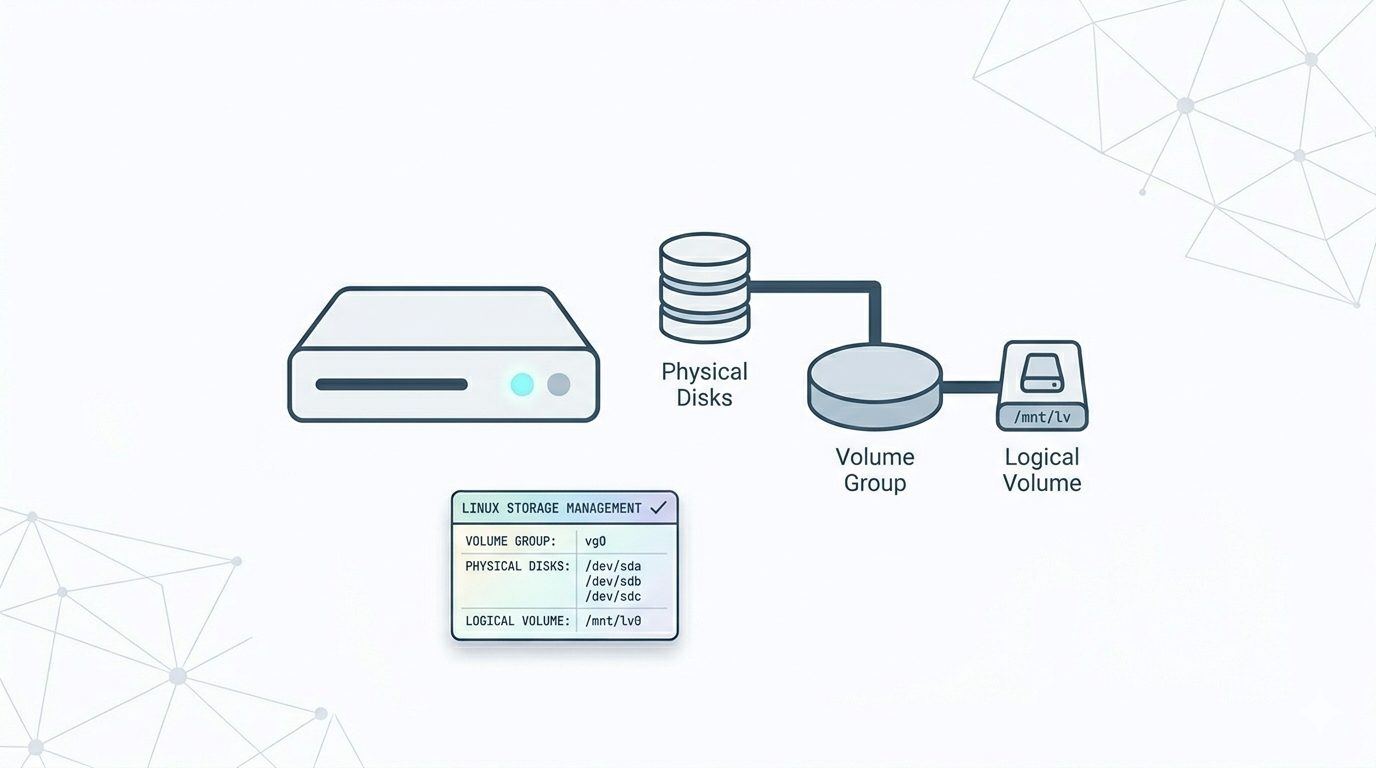
Logical Volume Manager (LVM) is a flexible storage management system in Linux that allows administrators to manage disk space more efficiently than traditional disk partitions. Instead of fixed partitions, LVM lets you create logical volumes that can be resized, extended, or reduced without major downtime.
This guide explains what LVM is, important terminology, and how to create and extend logical volumes step by step.
What Is LVM?
LVM (Logical Volume Manager) is a method of allocating storage into logical volumes rather than static partitions. It provides flexibility by allowing multiple disks to be combined into a single storage pool.
Key Advantages of LVM
- Resize volumes without repartitioning disks
- Combine multiple drives into one storage space
- Extend storage dynamically
- Simplify disk management
- Reduce downtime during storage upgrades
Important LVM Concepts
Understanding LVM terminology is essential before creating volumes.
1. Physical Volumes (PV)
Physical Volumes are the actual storage devices or disk partitions used by LVM.
Examples:
/dev/sda
/dev/sdb1
Each disk or partition must be initialized as an LVM physical volume before use.
Note: A physical volume belongs to only one disk. To use multiple drives, create separate physical volumes for each.
2. Volume Groups (VG)
A Volume Group combines multiple physical volumes into one storage pool. You can think of it as a virtual disk created from several physical disks.
- Storage is aggregated
- Logical volumes are created from this pool
The /boot partition should not be part of an LVM volume group because boot loaders cannot read LVM during startup.
3. Logical Volumes (LV)
Logical Volumes are the usable partitions created inside a volume group. These are the volumes you format and mount in Linux.
Example:
- Four 5GB disks → 20GB Volume Group
- Create two 10GB Logical Volumes from it
Logical volumes can be resized while the system is running.
LVM Partition Type Requirement
Before creating LVM volumes, set the partition type to:
8e (Linux LVM)Step 1: Create Physical Volumes
Initialize disks for LVM usage:
pvcreate /dev/sda /dev/sdb /dev/sdc /dev/sddTo verify physical volumes:
pvdisplayStep 2: Create a Volume Group
Create a volume group using available physical volumes:
vgcreate volume_group_one /dev/sda1 /dev/sdb1 /dev/sdc1 /dev/sdd1Check volume group details:
vgdisplayStep 3: Create a Logical Volume
Create a logical volume inside the volume group:
lvcreate -n logical_volume_one --size 255G volume_group_oneList logical volumes:
lvdisplayYour system now recognizes a new virtual device:
/dev/volume_group_one/logical_volume_oneStep 4: Format and Mount the Logical Volume
Format the volume:
mkfs.ext3 /dev/volume_group_one/logical_volume_oneCreate a mount directory:
mkdir /mnt/logical_volume_oneMount the logical volume:
mount /dev/volume_group_one/logical_volume_one /mnt/logical_volume_oneThe logical volume is now ready for use.
Step 5: Extend a Logical Volume
To increase storage capacity:
lvextend -L +100G /dev/volume_group_one/logical_volume_oneThis command adds 100GB to the logical volume.
Step 6: Resize the Filesystem
After extending the logical volume, resize the filesystem to use the new space:
resize2fs /dev/volume_group_one/logical_volume_oneWithout this step, the operating system will not recognize the added storage.
Best Practices for Using LVM
- Keep
/bootoutside LVM - Monitor free space in volume groups
- Always back up important data before resizing volumes
- Use LVM for servers requiring scalable storage
Conclusion
LVM provides powerful storage flexibility compared to traditional partitioning. By combining disks into volume groups and creating scalable logical volumes, administrators can expand storage without rebuilding servers or reinstalling operating systems.
For modern Linux environments, LVM remains one of the most efficient ways to manage growing storage requirements while maintaining performance and uptime.
If you require help, contact SupportPRO Server Admin
Facing issues?
Our technical support
engineers can solve it.


