


A load balancer distributes incoming traffic toward multiple EC2 instances across different Availability Zones, increasing application fault tolerance. It detects unhealthy instances and routes traffic only to healthy targets.
It automatically adjusts capacity as application traffic fluctuates, scaling to handle the vast majority of workloads without manual intervention.
There are three types of load balancers supported:
1)Application Load Balancers
2) Network Load Balancers
3) Classic Load Balancers
We can select a load balancer based on the application needs.
Application Load Balancer
An Application Load Balancer routes the traffic at the application layer (HTTP/HTTPS), it mainly supports path-based routing. And it routes requests to one or more ports on each container instance in the cluster. Application Load Balancers support dynamic host port mapping. This dynamic mapping allows you to have multiple tasks from a single service on the same container instance.

Application Load Balancers have several features that make them attractive for use with Amazon ECS services.
- Application Load Balancers allow containers to use dynamic host port
mapping - Application Load Balancers support path-based routing and priority rules
We recommend that you use Application Load Balancers for your Amazon ECS services so that you can take advantage of these latest features unless your service requires a feature that is only available with Network Load Balancers or Classic Load Balancers.
Network Load Balancer
A Network Load Balancer routes the traffic at the transport layer (TCP/SSL). It can manage millions of requests per second. Once a connection received by the load balancer, it selects a target from the target group for the default rule using a flow hash routing algorithm. It also tries to open a TCP connection to the selected target on the port specified in the listener configuration. It always forwards the request without making any changes to the headers. Network Load Balancers support dynamic host port mapping.
Classic Load Balancer
A Classic Load Balancer manages routing decisions at either the transport layer (TCP/SSL) or the application layer (HTTP/HTTPS). Classic Load Balancers require a fixed relationship between the load balancer port and the container instance port.
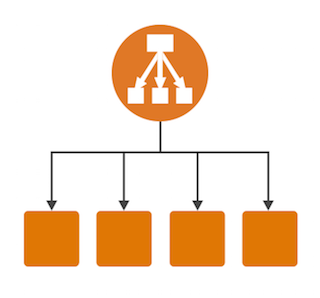
The Classic Load Balancer is a connection-based balancer where requests are forwarded by the load balancer without analyzing any of these requests. They just get forwarded to the backend section.
Difference Between ALB, NLB, and CLB
| Feature | Application Load Balancer (ALB) | Network Load Balancer (NLB) | Classic Load Balancer (CLB) |
|---|---|---|---|
| OSI Layer | Layer 7 (Application) | Layer 4 (Transport) | Layer 4 & Layer 7 |
| Protocol Support | HTTP, HTTPS | TCP, SSL | TCP, SSL, HTTP, HTTPS |
| Best For | Web applications, microservices, containers | High-performance TCP traffic | Legacy applications |
| Routing Type | Path-based & host-based routing | Flow hash routing | Basic routing |
| Dynamic Host Port Mapping | Yes | Yes | No |
| Performance | Optimized for HTTP workloads | Handles millions of requests per second | Moderate |
| Header Modification | Can inspect and route based on content | Does not modify headers | Limited capabilities |
| Target Types | EC2, containers, IPs | EC2, IP addresses | EC2 instances only |
| Use Case | Modern cloud-native apps & ECS | Real-time apps, gaming, IoT | Older AWS deployments |
Choosing the right load balancer depends entirely on your application architecture and traffic requirements.
If you’re running modern web applications, microservices, or containerized workloads, the Application Load Balancer (ALB) is usually the best choice due to its advanced routing capabilities and support for dynamic host port mapping.
For ultra-high performance and low-latency applications that require handling millions of TCP connections per second, the Network Load Balancer (NLB) is ideal.
The Classic Load Balancer (CLB) is primarily suited for legacy environments and is gradually being replaced by ALB and NLB in most modern AWS architectures.
Understanding the differences between these load balancer types helps you design scalable, fault-tolerant, and high-availability systems using Elastic Load Balancing in Amazon Web Services.
If you are building new infrastructure today, ALB or NLB should typically be your go-to choice depending on whether your workload operates at Layer 7 or Layer 4.
If you require help, contact SupportPRO Server Admin


