• Free Checkup
  • Emergency Support
  • Login
  • Sign Up
Server Management Tips
  • Cloud Support
    • Cloud Management
    • AWS support
    • Google Cloud support
    • Azure Support
    • DevOps Support
  • Server Administration
    • Node Management
    • Dedicated Server Support
  • OutSourced Tech Support
    • Dedicated Support
    • Dedicated Tech Support
    • Semi-Dedicated Tech Support
    • Dedicated Team Support
  • Client Support
    • Helpdesk Support
    • Live Chat Support
  • Emergency Support
    • Hourly Administration
    • Server Migration
    • Server Abuse Handling
  • Development
    • Hire a Developer
    • Hire a Development Team
Server Management Tips
  • Cloud Support
    • Cloud Management
    • AWS support
    • Google Cloud support
    • Azure Support
    • DevOps Support
  • Server Administration
    • Node Management
    • Dedicated Server Support
  • OutSourced Tech Support
    • Dedicated Support
    • Dedicated Tech Support
    • Semi-Dedicated Tech Support
    • Dedicated Team Support
  • Client Support
    • Helpdesk Support
    • Live Chat Support
  • Emergency Support
    • Hourly Administration
    • Server Migration
    • Server Abuse Handling
  • Development
    • Hire a Developer
    • Hire a Development Team
Copyright 2021 - All Right Reserved
Disaster RecoveryJetBackup

Choosing Between JetBackup and Acronis: A Practical cPanel Backup Guide

by SupportPRO Admin November 4, 2025
written by SupportPRO Admin

If you’ve ever run a web hosting server, you know there’s one thing that can ruin your day faster than anything else — losing data. A failed update, a hacked account, or even a minor misconfiguration can wipe out hours of work. That’s why backups aren’t just an option; they’re your safety net. When it comes to the best software for cPanel backup solutions, two names keep popping up: JetBackup and Acronis Cyber Protect. Both are strong contenders, but they’re built for slightly different worlds. I’ve worked with both over …


Continue Reading
0 comments
0 FacebookTwitterPinterestEmail
Dedicated serversRunCloud

Black Friday Optimization Guide: How to Supercharge WordPress on RunCloud

by SupportPRO Admin November 4, 2025
written by SupportPRO Admin

Black Friday is coming up fast, and if your site isn’t ready, you could lose traffic and sales in a heartbeat. It’s the busiest time of the year, and every second your pages take to load can make or break a sale.  If you’re running your WordPress site through RunCloud, you already have a leg up. The platform gives you the tools to manage servers easily and fine-tune performance without digging too deep into code. But to really get your site humming, caching is where the magic happens. Less work …

Continue Reading
0 comments
0 FacebookTwitterPinterestEmail
RunCloudServer Security

RunCloud Firewall Security Guide: Firewalld, Fail2ban & WAF Protection

by SupportPRO Admin October 31, 2025
written by SupportPRO Admin

If you manage a website, even a small one, security is something you can’t brush aside anymore. Hackers don’t care how big your site is. They just care if it’s vulnerable. And that’s where RunCloud’s built-in firewall and its bundled tools make a big difference. Instead of needing five different tools and a bunch of scripts, RunCloud ties several protection systems together — Firewalld, Fail2ban, basic site authentication, a Web Application Firewall (ModSecurity), and even advanced 6G/7G firewalls for modern threats. Let’s go through what each one does and why …

Continue Reading
0 comments
0 FacebookTwitterPinterestEmail
RunCloudserver supportTechnical Articles

RunCloud vs cPanel: The Ultimate Guide for Cloud Server Management

by SupportPRO Admin October 31, 2025
written by SupportPRO Admin

If you’ve worked with servers for any amount of time, you’ve probably bumped into cPanel — it’s practically everywhere. For shared hosting, it’s fine. But once you start managing multiple cloud servers, things start to feel clunky. That’s when I moved over to RunCloud. And honestly, it felt like stepping into the modern world. RunCloud doesn’t just give you a control panel — it gives you control. You can manage several servers, handle deployments, monitor performance, and automate everything without logging into each box manually. If you’re still on the …

Continue Reading
0 comments
0 FacebookTwitterPinterestEmail
RunCloudServer Security

Optimizing Nginx & Apache Settings in RunCloud for Better Performance

by SupportPRO Admin October 30, 2025
written by SupportPRO Admin

If you’ve ever had a website slow down the moment traffic picks up, you’ll know how helpless that feels. You open the dashboard, refresh the monitor, maybe even restart the service, and still, it lags. In most of those moments, the problem isn’t that your server is weak. It’s usually that PHP and your FPM pool just aren’t tuned quite right. I’ve spent a lot of long nights inside RunCloud dashboards, and over time I’ve built a habit of adjusting a few key settings whenever I launch or optimize a …

Continue Reading
0 comments
0 FacebookTwitterPinterestEmail
RunCloudserver management

RunCloud Agent Communication Blocked? Fix the ‘security-bannedip’ Error Now

by SupportPRO Admin October 30, 2025
written by SupportPRO Admin

One fine day, RunCloud Suddenly Stops Talking to Your Server. When this incident occurred. I logged into RunCloud expecting the usual green lights, and instead I saw a red “security-bannedip” error. For a second, I thought I’d broken something serious. If you’re seeing the same message RunCloud Agent “security-bannedip”. Unable to communicate with Server (x.x.x.x) don’t panic. It almost always comes down to a simple connection issue.

Continue Reading
0 comments
0 FacebookTwitterPinterestEmail
AWSGeneral Topics

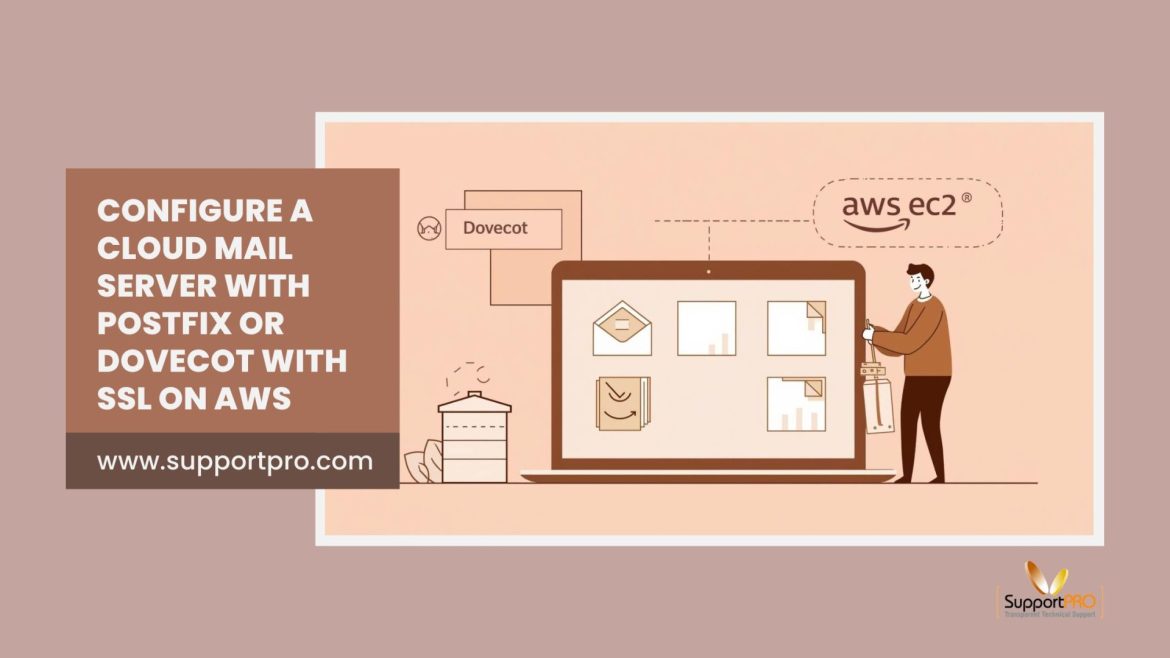
How to Configure a Cloud Mail Server with Postfix/Dovecot) with SSL on AWS

by SupportPRO Admin October 29, 2025
written by SupportPRO Admin

I’ve always been fascinated by how email actually works. You type a message, hit send, and a few seconds later, it shows up somewhere else in the world. There’s a lot happening behind that one click. A while back, I decided to try running my own email server instead of depending on Gmail or Outlook. It wasn’t just about curiosity but also about control. I wanted my data to stay on servers I manage, not in someone else’s giant datacenter. In this post, I’ll walk through how I got Postfix …

Continue Reading
0 comments
0 FacebookTwitterPinterestEmail
Dedicated serversSecurityserver checkupServer SecurityTroubleshooting

How to Restore Safe Files Flagged by CPGuard (False Positives Fix)

by SupportPRO Admin October 29, 2025
written by SupportPRO Admin

If you’ve been running CPGuard for a while, you’ve probably seen it happen that a clean file gets flagged as “infected.”Don’t panic. It doesn’t mean your site’s hacked. It’s just a false positive, and even the best malware scanners do that sometimes. The good news? CPGuard gives you full control through its command-line tool, so you can check what got caught, verify it’s clean, and bring it back in just a few commands. Here’s how I usually handle it when it happens on a client’s server.

Continue Reading
0 comments
0 FacebookTwitterPinterestEmail
dedicated server supportserver managementServer Security

From Logs to Reports: Everything You Need to Know About Monitoring CPGuard Activity

by SupportPRO Admin October 28, 2025
written by SupportPRO Admin

When you’re managing a server, CPGuard is one of those tools you install once and forget about. It runs quietly in the background by scanning files, blocking malware, and keeping your hosting setup safe. But now and then, something acts up, or you just want to check what’s been going on under the hood. This guide helps you at this point. ll walk you through how to read and understand CPGuard’s logs from the command line on a Linux server. You’ll see where the log files are stored, how to …

Continue Reading
0 comments
0 FacebookTwitterPinterestEmail
cPaneldedicated server supportSecurity

How to Use CPGuard CLI for Powerful Server Protection

by SupportPRO Admin October 28, 2025
written by SupportPRO Admin

If you’ve ever wrangled a server or run your own hosting setup, you already know: security isn’t optional. You need solid protection, and that’s where CPGuard comes in. It’s a tough, feature-packed security suite built for web servers. Sure, it plays nice with control panels like cPanel and DirectAdmin, but what really sets it apart for power users is the Command Line Interface—the CLI. If you like working straight from the terminal, this is your playground. Let’s dig in. I’ll show you how to get around the CPGuard CLI, use …

Continue Reading
0 comments
0 FacebookTwitterPinterestEmail
Newer Posts
Older Posts

Services

  • Outsourced hosting support
  • Server administration
  • Web Programming
  • How Managed Cloud Services Improve Security and Compliance
    How Managed Cloud Services Improve Security and Compliance ?
    As organizations increasingly rely on cloud infrastructure, cybersecurity risks and regulatory requirements continue to grow. Businesses must protect sensitive data, maintain compliance standards, and ensure uninterrupted operations in rapidly evolving…
  • AWS Cost Optimization for Greater Business Efficiency
    AWS Cost Optimization for Greater Business Efficiency
    Introduction Cloud computing has transformed how businesses scale and operate, but without proper control, AWS costs can quickly spiral. AWS cost optimization is not just about cutting expenses. It is…
  • Is Anonymous VPS Hosting Right for You
    Is Anonymous VPS Hosting Right for You? A Practical Guide to Secure, Scalable Enterprise VPS Hosting
    Understanding Anonymous VPS Hosting in Modern Cloud Enterprise Anonymous VPS hosting allows businesses to operate virtual servers without linking infrastructure to personal or corporate identity. What makes it different 1.…

Categories

  • ansible
  • Artificial Intelligence
  • AWS
  • aws managed service provider
  • AWS Support
  • aws support services
  • Build Automation
  • Business
  • Case Study
  • Cloud
  • Cloud Managed Service
  • Cloud Support Services
  • Cloudflare
  • Compiling tools
  • cPanel
  • dedicated server support
  • Dedicated servers
  • Dedicated tech support
  • DevOps
  • Disaster Recovery
  • Docker
  • GCP
  • General Topics
  • JetBackup
  • Linux
  • Linux Basics
  • live chat
  • live chat support
  • Miscellaneous
  • Open source
  • Outsourced tech support
  • Recovery & Backup
  • Remote infrastructure Management
  • RunCloud
  • Security
  • server checkup
  • server management
  • server Migration
  • Server Monitoring
  • Server Security
  • server support
  • Server Tweaking
  • Technical Articles
  • Troubleshooting
  • web hosting
  • web hosting support
  • Windows Server
  • WordPress

CONTACT US

Sales and Support

Phone: 1-(847) 607-6123
Fax: 1-(847)-620-0626
Sales: sales@supportpro.com
Support: clients@supportpro.com
Skype ID: sales_supportpro

Postal Address

1020 Milwaukee Ave, #245,
Deerfield, IL-60015
USA

  • Industry Solutions
    • Web Hosting Services
    • Service Providers
    • E-Commerce Companies
    • Software Vendors
    • Web Developers
    • ISPs
    • Services
  • About Us
    • Company
    • Technical Blog
    • Careers
    • FAQ
    • Partners
    • Site Map
    • Affiliates
  • Popular Plans
    • Dedicated Team Support
    • Helpdesk Support
    • Hourly Administration
    • Legal
    • Privacy Statement
    • Terms of Use
    • How we work

©2022  SupportPRO.com. All Rights Reserved

X-twitter Facebook Linkedin Rss
Server Management Tips
  • Cloud Support
    • Cloud Management
    • AWS support
    • Google Cloud support
    • Azure Support
    • DevOps Support
  • Server Administration
    • Node Management
    • Dedicated Server Support
  • OutSourced Tech Support
    • Dedicated Support
    • Dedicated Tech Support
    • Semi-Dedicated Tech Support
    • Dedicated Team Support
  • Client Support
    • Helpdesk Support
    • Live Chat Support
  • Emergency Support
    • Hourly Administration
    • Server Migration
    • Server Abuse Handling
  • Development
    • Hire a Developer
    • Hire a Development Team