

mod_evasive is a detection and network management tool, and can be easily configured to talk to IP chains, firewalls, routers, etc . Detection is performed by creating an internal dynamic hash table of IP Addresses and URLs, and denying any single IP address that matches the criteria. #cd /usr/src #wget http://www.zdziarski.com/blog/wp-content/uploads/2010/02/mod_evasive_1.10.1.tar.gz #tar xzf mod_evasive_1.10.1.tar.gz #cd mod_evasive #apxs -cia mod_evasive20.c LoadModule evasive20_module /usr/lib/httpd/modules/mod_evasive20.so
SPDY is a new networking protocol used for speeding up the web. It combines with http protocol with several speed related features that can reduce page load time. It uses stream multiplexing and header compression to improve speed. In order to use SPDY, a web server and a browser that both support SPDY is needed. Google chrome and newer versions of Firefox support SPDY protocol. In Apache HTTPD server mod_spdy module add support to SPDY protocol. SPDY protocol uses HTTPS so site need to serve content over HTTPS in order to benefit from mod_spdy.mod_spdy serves requests like Apache worker MPM. It serves requests using an internal thread pool which interact badly with non-thread-safe Apache modules. In order to server php …
The following are the steps to install awststs in cpanel: 1. Download wastats source: http://awstats.sourceforge.net wget http://nchc.dl.sourceforge.net/project/awstats/AWStats/7.0/awstats-7.0.tar.gz 2. Extract the tzr.gz file #gtar -zxvf awstats-7.0.tar.gz 3. Change the permissions of the awredir.pl and awstats.pl files to 755 (under awstats-7.0/wwwroot/cgi-bin/) 4. Move awredir.pl and awstats.pl and the directory icons to /home/user/cgi-bin 5. Copy /home/user/tmp/awstats/awstats.domain.com.conf to /home/user/cgi-bin 6. Edit /home/user/cgi-bin/awstats.domain.com.conf and search for the “DirIcons” line, and change it to show: DirIcons=”/cgi-bin/icon” 7. Check statistics at http://www.yourdomain.com/cgi-bin/awstats.pl?config=yourdomain.com. If you require help, contact SupportPRO Server Admin
IPTABLES is a powerful firewall utility used in Linux servers to control incoming and outgoing network traffic. It stores firewall configuration rules in the file /etc/sysconfig/iptables. To open a specific port, root privileges are required because firewall rules directly affect system security. Step-by-Step: Open a Port Using IPTABLES 1. Edit the IPTABLES Configuration File Open the configuration file using a text editor: 2. Add a Rule to Allow the Port Append the following rule to allow incoming traffic on a specific TCP port: Replace [port_number] with the required port number (for example: 8088 or 8090). 3. Restart IPTABLES Service After saving the file, restart the firewall service to apply changes: 4. Verify the Open Port Confirm that the port is …
If you corrupt the SSH settings on your server and lock yourself out of ssh, then you can reset the SSH configuration settings from WHM by following the steps below: 1. Login to your WHM on a non-secure port that is: 2086 For example http://serverip:2086 2. Then browse the URL to reset the SSH configuration settings: http://serverip:2086/scripts2/doautofixer?autofix=safesshrestart After running the script, the default port 22 will open up and after logging in the server via ssh we can edit the config file of sshd and then restart sshd service to apply the changes made. /var/cpanel/safe_sshd If you require help, contact SupportPRO Server Admin
GNU/Linux provides a tool/command to fix this issue: ‘dpkg-reconfigure xserver-xorg’ is the command for fixing the Xserver loading problem. Steps:- First, log in as a super (or root) user from the console. Then, run dpkg-reconfigure xserver-xorg (if you’re on Ubuntu and can’t log in as root, run sudo dpkg-reconfigure xserver-xorg). You will see a window/wizard as ‘Configuring xserver-xorg’ , Just accept the default answer and go to the next one. At the end of the wizard you will be exited from the configuration window/wizard, then just reboot the system your graphics(GUI) loading problem will be fixed. If you require help, contact SupportPRO Server Admin

You can install softaculous in cpanel from WHM and also from command line without having to visit cPanel/WHM. Before starting the softaculous installation please make sure that the ‘ionCube Loader’is enabled on the server. To install from WHM ================== 1. Log into server via ssh. 2. cd /usr/local/cpanel/whostmgr/docroot/cgi 3. wget -N http://www.softaculous.com/ins/addon_softaculous.php 4. chmod 755 addon_softaculous.php 5. Then go to WHM –> Plugins–>softaculous– Instant Installs Install from command cline ========================== 1.Log into server via ssh. 2.cd /usr/local/cpanel/whostmgr/docroot/cgi 3. wget -N http://www.softaculous.com/ins/addon_softaculous.php 4. chmod 755 addon_softaculous.php 5. /usr/local/cpanel/3rdparty/bin/php /usr/local/cpanel/whostmgr/docroot/cgi/addon_softaculous.php You can install softaculous in cpanel from WHM and also from command line without having to visit cPanel/WHM. Before starting the softaculous installation please make sure that the ‘ionCube Loader’ is enabled …
Login to the server: telnet localhost “portnumber” netstat command to find open ports ———————————- netstat –listen To display open ports and established TCP connections, enter —————————————————————- netstat -vatn To display only open UDP ports try the following command: ———————————————————— netstat -vaun To display the list of open ports, enter: ——————————————— lsof -i If you require help, contact SupportPRO Server Admin

Introduction Linux is one of the most reliable web server operating systems, with an almost perfect monitoring system that ensures your servers run smoothly around the clock with minimal risk of a crash. The Linux server monitoring system is one of the best-known tools for ensuring optimal server performance. No wonder, then, that brands such as the LAMP server are the most recognized and preferred by most large web hosting companies. Web hosting servers need to be up all the time. And since they contain massive amounts of data accessed and used by all clients, security and optimal performance become crucial factors. Monitoring servers 24×7 for the proper operation of scripts and tools, including HTTP, SSL, SMTP, POP, IMAP, SSH, …
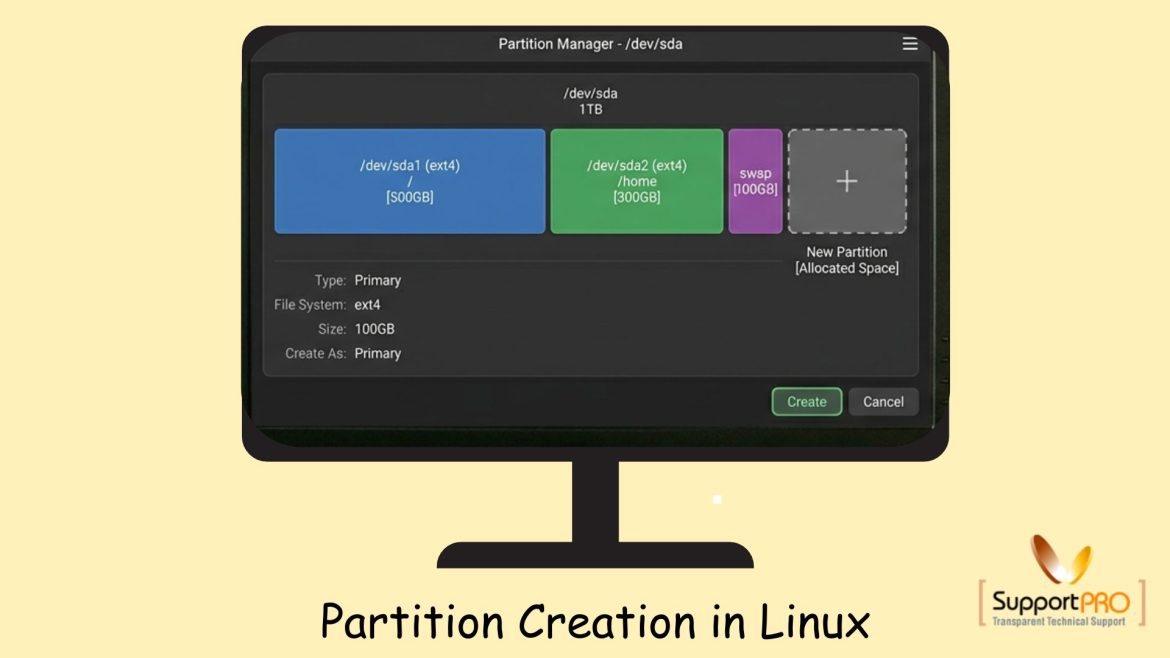
Managing disk partitions is an essential task for Linux system administrators. Proper disk partitioning helps organize storage, improve performance, and simplify server management. Whether you are setting up a new server or adding additional storage, understanding Partition creation in Linux is extremely important. In this guide, we will explain how to create partitions, format them, mount them, and make the configuration permanent using Linux commands. What is Partition Creation? Partition creation is the process of dividing a physical hard disk into separate logical sections called partitions. Each partition can: Linux systems commonly use partitions to organize storage efficiently. Why Partitioning is Important Disk partitioning provides several advantages: For servers, partitioning also helps isolate workloads and reduce storage-related issues. Step 1: …