Production incidents rarely happen at convenient times. Whether it’s a sudden server crash, an unexpected CPU spike, a memory leak, or a system-wide outage, the pressure to restore services quickly can be overwhelming. During these critical moments, having a structured troubleshooting process is often the difference between a fast recovery and a prolonged outage. The most successful operations teams don’t rely on guesswork during incidents. Instead, they follow a systematic incident response framework that helps them stabilize services, identify root causes, and restore normal operations with minimal disruption. In this guide, we’ll walk through a practical, step-by-step framework for debugging production servers under pressure and handling common infrastructure failures effectively. Why a Structured Incident Response Process Matters When systems fail, …
server support
Common Server Support Gaps That Increase Operational Risk And How to Prevent Them
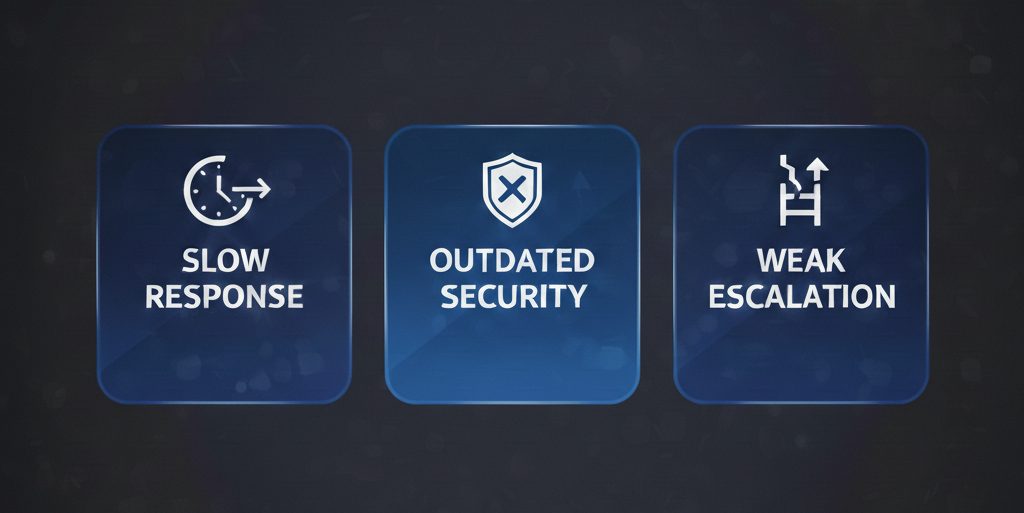
Modern businesses rely heavily on server infrastructure to maintain application availability, protect sensitive data, and support daily operations. Yet many organizations underestimate the operational risk created by gaps in server support. Even small inefficiencies: delayed responses, poor monitoring, weak escalation processes; can compound into extended downtime, compliance failures, and financial loss. Even a five-minute server outage can halt revenue, disrupt operations, and damage customer trust. According to industry reliability studies, downtime can cost enterprises thousands of dollars per minute depending on workload criticality. Understanding where server support commonly fails is the first step toward reducing operational risk. What Is Server Support Expected to Handle? Effective server support goes beyond fixing outages. It includes continuous oversight, preventive maintenance, and structured incident …
Why Poor Server Management Leads to Downtime and Security Risks ?
Servers sit at the core of business operations. Applications, customer data, internal systems, and digital services all depend on them. When server management is weak, the impact shows up quickly in the form of service outages, slow performance, and security incidents. For business leaders, poor server management is not an IT inconvenience. It is a direct risk to revenue, reputation, and operational continuity. What Happens When Server Management Is Poor ? How Poor Server Management Creates Downtime and Security Risks ? What Effective Server Management Looks Like ? Industry Trends Increasing Server Risk Modern IT environments are becoming more complex. Businesses now rely on hybrid infrastructure, cloud-hosted servers, and always-on digital services. At the same time, cyber threats are growing …
If you’ve worked with servers for any amount of time, you’ve probably bumped into cPanel — it’s practically everywhere. For shared hosting, it’s fine. But once you start managing multiple cloud servers, things start to feel clunky. That’s when I moved over to RunCloud. And honestly, it felt like stepping into the modern world. RunCloud doesn’t just give you a control panel — it gives you control. You can manage several servers, handle deployments, monitor performance, and automate everything without logging into each box manually. If you’re still on the fence about switching from cPanel, let me walk you through what actually makes RunCloud worth it — straight from real experience.
When a mail server stops accepting connections or mail flow becomes intermittent, the problem can come from many layers: DNS, network, firewall, mail server software (Zimbra, Postfix), TLS certificates, or even system resources. This guide walks through practical, step-by-step troubleshooting techniques for Zimbra and Postfix connection issues, shows commands you can run immediately. This blog gives you a detailed guide to troubleshoot similar issues. If facing trouble in receiving mail from outside, you need to find out where the message is failing. While sending test message, you need to check the Log Files, in /var/log/zimbra.log, on your MTA server. You can use “tail” command to the logs on the server. 1) Initial checks to perform – You need to check …
Introduction Information is perhaps the greatest asset of a company in today’s digital age. Companies count on their hosting companies to store information safely and according to worldwide standards, and keep servers in their best shape. Hosting firms bear tremendous responsibility for sensitive information, such as financial transactions, customer data, and mission-critical applications.Legally, compliance is no longer a checkmark. Compliance frameworks such as the General Data Protection Regulation (GDPR) and standards such as ISO certifications show clients that their information is cared for and handled with caution. These standards are not merely recommendations to hosting firms; they are a way of establishing credibility, fostering trust, and establishing long-term partnerships with clients. This article discusses the most critical compliance frameworks that …
Introduction In the cloud and hosting industry, effective server management is no longer optional. Today’s customers want the fundamentals: accurate billing, timely support, effective provisioning and uptime. To meet those expectations, managed service providers (MSPs), data centers and hosting companies need effective and efficient systems. For many years, WHMCS (Web Host Manager Complete Solution) has been the reliable automation platform for web hosting companies. It integrates billing, provisioning, and client support in one place. However, the true power of WHMCS stems from its vast array of add-ons. These modules turn the software into the nerve center of hosting business operations, beyond just billing. In this blog, we will look at why WHMCS is popular, the types of add-ons for server …
Growth increases system demand before it increases revenue. Server scalability ensures your infrastructure handles that demand without slowing down performance. When scalability is planned correctly, users experience stability even during traffic spikes, product launches, or expansion phases. Below is a practical, structured approach to building scalable server infrastructure that supports both performance and growth. Server Scalability: Protect Performance as Demand Increases Server scalability means your systems can handle increasing traffic, users, and data without degradation. For founders, this directly impacts customer experience, retention, and revenue protection. Stable systems build trust, while unstable systems drive churn. Scalability is not about reacting to failures. It is about preparing infrastructure before growth stresses it. Establish Performance Baselines Before Making Changes Scaling without data …
Remote Desktop Protocol (RDP) is a widely used tool for managing virtual private servers (VPS) and dedicated servers. However, under certain network conditions, users may encounter issues such as RDP sessions hanging or frequent connection drops. One effective solution to improve the stability of RDP connections is to disable UDP support and rely solely on the TCP protocol. TCP is often more reliable and stable in adverse network environments, making it a preferred option for remote server management. In this article, we will explore how to disable UDP for RDP connections on a Windows Server using different methods. These steps can help mitigate connection issues and provide a smoother remote desktop experience. Why Disable UDP for RDP? RDP uses both …
The “An Internal Error Has Occurred” message is one of the most common errors encountered by users trying to connect to a remote server using the Remote Desktop Protocol (RDP). While the error doesn’t provide much information about the cause, it can be frustrating when attempting to manage a remote system. Fortunately, there are several effective solutions to resolve this issue. Common Causes of the Error 1. Network or Connectivity Issues: Temporary issues with your local or remote network can interrupt the RDP connection. 2. Incorrect RDP Configuration: Misconfigured RDP settings on the client or server can trigger this error. 3. Corrupt or Outdated Certificates: RDP connections rely on certificates for secure communication. Expired or corrupted certificates may cause the …