

SNI ( Server Name Identification) allows you to host multiple SSL certificates on a single IP address. Although, hosting several sites on a single virtual private server is possible with the use of virtual hosts, providing separate SSL certificates for each site traditionally required separate IP addresses. The process has now been simplified through the use of Server Name Indication (SNI), which sends a site visitor the certificate that matches the requested server name. Requirements 1. Domain names should be registered in order to serve the certificates by SNI. 2. Root Privileges to the server. 3. Apache should already be installed and running

Modern users expect websites to load instantly. Even a few seconds of delay can increase bounce rates and reduce conversions. For site owners running Apache servers, improving performance is essential for both user experience and search rankings. One powerful solution is mod_pagespeed, a performance optimization module originally developed by Google that automatically enhances site speed without requiring manual optimization of every file. What Is mod_pagespeed? mod_pagespeed is an extension module for the Apache Software Foundation web server that automatically optimizes website resources. It applies filters that rewrite and compress assets such as: These optimizations reduce load time, improve rendering speed, and enhance overall site performance. Why Use mod_pagespeed? Key Benefits For businesses managing multiple websites or high-traffic platforms, this module …
Log files play a critical role in Linux systems. They help administrators monitor system activity, troubleshoot issues, track application behavior, and maintain security. As systems run continuously, log files can grow very large over time. If left unmanaged, this can consume disk space and affect system performance. Logrotate is a log file management utility designed to solve this problem. It automatically rotates, archives, compresses, and removes old log files, ensuring that logs remain manageable while preserving important historical data. Log rotation can be based on file size, age, or time intervals, and it is usually handled automatically through cron jobs or systemd timers. The main purpose of log rotation is simple: to prevent log files from growing indefinitely while keeping …
Runlevel is a preset operating state on a Unix-like operating system. A run-level is a software configuration of the system that allows only a selected group of processes to exist. A system can be booted into (i.e., started up into) any of several run-levels, each of which is represented by a single-digit integer. Each run-level designates a different system configuration and allows access to a different combination of processes (i.e., instances of executing programs).
Denial-of-service attack (DoS attack) or Distributed Denial-of-service attack (DDoS attack) is an attempt to make a machine or network resource unavailable to its intended users. This attack generally target sites or services hosted on high-profile web servers such as banks, credit card payment gateways, and even root nameservers. DoS attacks are implemented by either forcing the targeted computer to reset, or consuming its resources so that it can no longer provide its services or obstructs the communication media between the users and the victim so that they can no longer communicate adequately. This blog provides you an overview on how to identify DDOS attack using netstat command. Display all active Internet connections to the server and only established connections are …
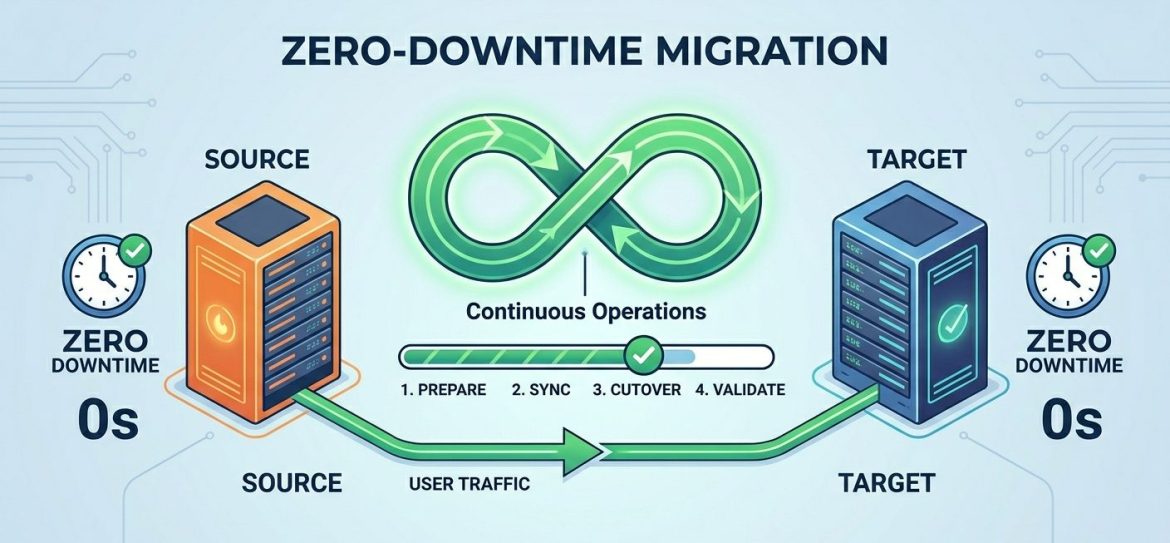
If you manage a website, you’ll likely encounter server migration at some point. This could be due to upgrading to a more powerful server, switching service providers, or updating your software environment for better performance and security. Despite its benefits, server migration often raises concerns – such as data loss, downtime, or website instability. The good news is that with proper planning and execution, you can migrate your web server with zero downtime and no data loss. Let’s walk through the process step by step. 1. Prepare Your DNS When migrating to a new server, your website will typically be assigned a new IP address. However, DNS records are cached globally, which means changes can take up to 48 – …
A completely frozen Linux system can be frustrating. The mouse cursor does not move. Keyboard shortcuts like Ctrl + Alt + F1 or Ctrl + Alt + Backspace do not respond. Even the Num Lock key may stop toggling. In such situations, most users force a hard reset. However, a hard reboot can lead to data corruption or filesystem damage. There is a safer way to reboot a locked Linux system using the Magic SysRq key. This method allows you to properly terminate processes, sync disks, and safely reboot the machine to reduce the risk of data loss. What Is the Magic SysRq Key? The Magic SysRq key is a Linux kernel feature that allows you to send low-level commands …
Choosing the right hosting control panel is an important decision for hosting providers, businesses, and system administrators. Among the many options available, cPanel and Plesk continue to dominate the web hosting industry. Both are mature, reliable platforms, but they are built with different use cases and operating environments in mind. Understanding Hosting Control Panels A hosting control panel is a web based interface that simplifies server and website management. It allows administrators and end users to manage domains, email accounts, databases, DNS records, backups, and security settings without working directly from the command line. A well-chosen control panel improves efficiency, reduces errors, and makes server management more accessible. cPanel Overview cPanel is one of the most widely used hosting control …
mod_fcgid is a high-performance Apache module designed to improve the execution of CGI applications. It was introduced as a binary-compatible replacement for FastCGI while providing better control over process management and resource usage. Unlike traditional CGI modules such as mod_cgi or mod_cgid, mod_fcgid keeps application processes running in the background, allowing them to handle multiple requests efficiently without restarting for every connection. Why Use mod_fcgid? mod_fcgid offers several advantages: Installing mod_fcgid Step 1: Install Apache Components On Red Hat or CentOS systems, install Apache with the threaded MPM Worker module to reduce memory consumption: Step 2: Enable the fcgid Module Enable the Apache fcgid module: Step 3: Install PHP CGI Packages Install PHP CGI and required extensions if they are …
mod_evasive is a detection and network management tool, and can be easily configured to talk to IP chains, firewalls, routers, etc . Detection is performed by creating an internal dynamic hash table of IP Addresses and URLs, and denying any single IP address that matches the criteria. #cd /usr/src #wget http://www.zdziarski.com/blog/wp-content/uploads/2010/02/mod_evasive_1.10.1.tar.gz #tar xzf mod_evasive_1.10.1.tar.gz #cd mod_evasive #apxs -cia mod_evasive20.c LoadModule evasive20_module /usr/lib/httpd/modules/mod_evasive20.so