

In today’s always-on digital landscape, uptime is no longer just a performance metric; it’s a business imperative. Data centers power everything from financial transactions and healthcare systems to cloud applications and global communications. Even a few minutes of downtime can translate into significant financial loss, reputational damage, and operational chaos. While most organizations invest heavily in redundancy for power, cooling, and hardware, network failure remains one of the most underestimated risks. The real challenge isn’t just keeping systems running; it’s maintaining access to critical infrastructure when the network goes down.
So what does the ultimate backup plan look like? It’s not a single solution, but a layered strategy that anticipates failure, isolates risk, and ensures continuous control even under worst-case scenarios.
Understanding the Real Risk
Network failures can happen for many reasons: misconfigurations, fibre cuts, DDoS attacks, routing issues, or even human error. When connectivity is disrupted, systems inside a data center may continue to run, but administrators can lose visibility and control. This “operational blindness” is often more dangerous than the outage itself.
Without access, teams cannot troubleshoot, restart services, apply patches, or respond to incidents. That’s why a robust backup plan must prioritize out-of-band access and independent management pathways.
Layer 1: Out-of-Band Management (OOBM)
Out-of-band management is the backbone of any serious uptime strategy. It provides a separate, dedicated network for accessing critical devices such as servers, routers, switches, and power systems, completely independent of the primary production network.
In a failure scenario, OOBM acts as your lifeline. Even if the main network is down, administrators can still log in, diagnose issues, and restore services. This is typically achieved through:
- Dedicated management ports on devices
- Console servers for remote access
- Secure access gateways
The key is isolation. Your OOB network should never rely on the same infrastructure as your production environment.
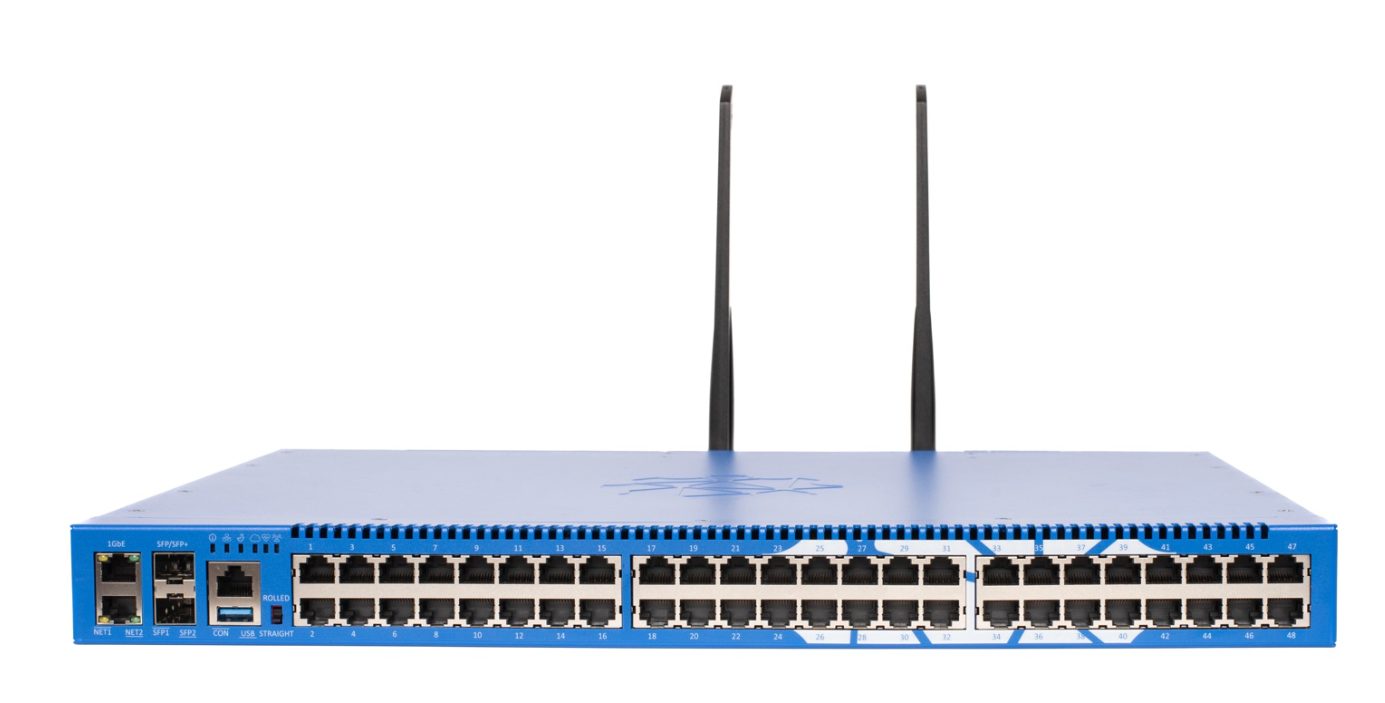
An out-of-band management device :
Layer 2: Diverse Connectivity Options
Relying on a single ISP or network path is a recipe for disaster. True resilience comes from diversity, both in providers and technologies.
A strong backup plan includes:
- Multiple ISPs: Ideally using different physical routes and carriers
- Cellular failover (4G/5G): Independent of wired infrastructure, useful during fiber outages
- Satellite connectivity: A last-resort option for extreme scenarios
Automatic failover mechanisms ensure that traffic is rerouted seamlessly when a primary connection fails. But beyond automated systems, administrators should also have manual override capabilities via alternative channels.
Layer 3: Smart Power Integration
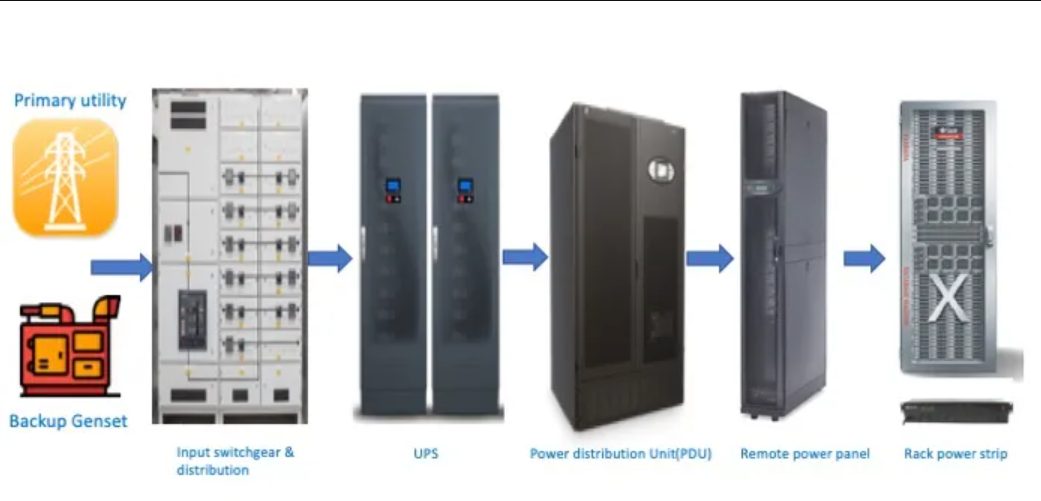
Network uptime is closely tied to power availability. Even the most resilient network setup is useless if devices lose power. Backup strategies must integrate:
- Uninterruptible Power Supplies (UPS)
- Backup generators
- Intelligent Power Distribution Units (PDUs)
More importantly, these systems should be remotely manageable. If a device becomes unresponsive, administrators should be able to power-cycle it through the OOB network. This simple capability can drastically reduce downtime.
Layer 4: Secure Remote Access
During a crisis, speed matters but so does security. Backup access points can become targets if not properly secured. A well-designed plan includes:
- Multi-factor authentication (MFA)
- Encrypted communication channels (VPN or SSH tunnels)
- Role-based access control
Security should never be sacrificed for convenience. The goal is to ensure that only authorized personnel can access critical systems, even under emergency conditions.
Layer 5: Automation and Monitoring
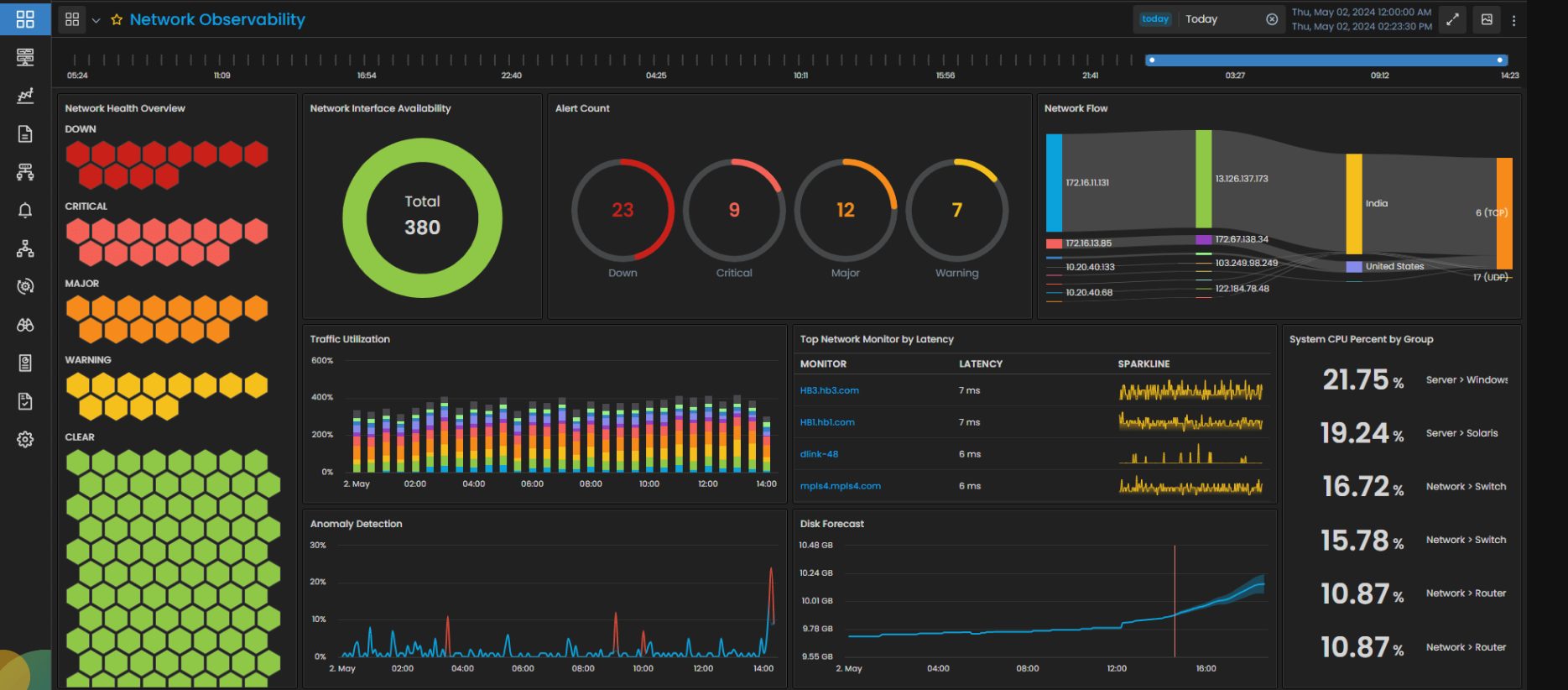
Proactive monitoring can detect early signs of network degradation before a full outage occurs. Combined with automation, it allows systems to respond instantly to failures.
Key components include:
- Real-time network monitoring tools
- Automated alerts and escalation protocols
- Self-healing scripts for common issues
For example, if a primary link fails, an automated system can trigger failover, notify administrators, and log the event all within seconds. This reduces reliance on manual intervention and speeds up recovery.
Layer 6: Regular Testing and Simulation
A backup plan is only as good as its execution. Many organizations design failover strategies but never test them under real conditions. This leads to unpleasant surprises during actual outages.
Regular drills and simulations help ensure:
- All systems function as expected
- Teams are familiar with recovery procedures
- Hidden vulnerabilities are identified
Testing should include full-scale scenarios, disconnecting primary networks, simulating ISP failures, and validating OOB access. The more realistic the test, the more reliable the plan.
Layer 7: Documentation and Training
In the middle of a crisis, clarity is everything. Teams should have access to up-to-date documentation outlining:
- Network architecture and dependencies
- Access procedures for backup systems
- Escalation contacts and responsibilities
Equally important is training. Every relevant team member should know how to use out-of-band tools, initiate failover, and respond to incidents. Knowledge gaps can turn minor outages into major disruptions.
Building a Culture of Resilience
Technology alone isn’t enough. The most resilient organizations adopt a mindset that assumes failure will happen and prepares accordingly. This means:
- Designing systems with redundancy at every level
- Encouraging cross-team collaboration
- Continuously improving based on past incidents
Post-incident reviews are especially valuable. They help identify what worked, what didn’t, and how to refine the backup plan.
Conclusion
Maintaining access to critical infrastructure during network failures is not a luxury; it’s a necessity. The ultimate backup plan is not a single tool or technology, but a multi-layered approach that combines out-of-band management, diverse connectivity, power resilience, security, and continuous testing.
Downtime may be inevitable, but loss of control doesn’t have to be. With the right strategy in place, organizations can navigate network failures with confidence, minimize disruption, and keep their operations running when it matters most. In a world where every second counts, preparation is the difference between resilience and recovery.
Facing issues?
Our technical support
engineers can solve it.


