Introduction Traditional methods of accessing cloud servers often rely on SSH keys and open inbound ports. While functional, this approach introduces several security and operational challenges: key management, exposure of the attack surface, and compliance risks. With Amazon Web Services (AWS), you can eliminate these concerns entirely using Session Manager, a feature of AWS Systems Manager. It allows secure, auditable, and keyless access to your Amazon EC2 instances, without opening port 22 or managing SSH keys. Why Avoid SSH-Based Access? Before diving into Session Manager, let’s understand the drawbacks of traditional SSH access: Session Manager addresses all of these challenges. What is AWS Session Manager? Session Manager is a fully managed capability within AWS Systems Manager that enables you to …
AWS
How to Set Up a Secure Multi-Account AWS Environment As organizations grow their cloud presence, managing everything within a single AWS account can become challenging and risky. A multi-account AWS strategy helps improve security, simplify governance, isolate workloads, and provide better visibility into costs and operations. By separating environments, teams, and workloads into dedicated AWS accounts, businesses can reduce the impact of security incidents, enforce compliance requirements, and scale more effectively. In this blog, we’ll explore how to set up a secure multi-account AWS environment using AWS-recommended best practices. Why Use a Multi-Account AWS Environment? A multi-account structure offers several advantages: Let’s look at the key steps involved in building a secure and well-governed AWS environment. 1. Start with AWS …
How to Secure AWS Organizations Against Unauthorized Account Changes ?
As organizations scale their cloud infrastructure, managing multiple AWS accounts becomes essential for maintaining security, operational efficiency, and cost control. AWS Organizations provides a centralized framework to manage accounts, apply governance policies, and enforce security standards across environments. However, improper access controls can expose organizations to unauthorized account modifications that may weaken governance, reduce visibility, and create security gaps. Whether caused by human error, excessive permissions, or compromised credentials, unauthorized account changes can have significant operational and compliance implications. This guide explores key security controls and governance strategies that help organizations strengthen protection within AWS Organizations and maintain centralized control over their cloud environments. Why Account Governance Matters in AWS Organizations AWS Organizations allows administrators to manage multiple AWS accounts …
How to Back Up and Restore Amazon EBS Volumes Using AWS Backup ?
Data loss can have serious consequences for any organization, making reliable backup and recovery strategies essential. Whether caused by accidental deletion, system failures, ransomware attacks, or infrastructure issues, having a dependable backup solution helps ensure business continuity and minimizes downtime. AWS Backup simplifies backup management across AWS services, including Amazon Elastic Block Store (EBS). With AWS Backup, organizations can automate backup schedules, define retention policies, and restore data quickly when needed. In this guide, we’ll explore Amazon EBS, the benefits of AWS Backup, and the step-by-step process for backing up and restoring EBS volumes. What is Amazon EBS? Amazon Elastic Block Store (EBS) is a high-performance block storage service designed for use with Amazon EC2 instances. EBS volumes provide persistent …
How to Troubleshoot AWS EC2 Placement Groups and ENA Network Performance Issues ?
For organizations running high-performance workloads on AWS, network efficiency plays a critical role in maintaining application responsiveness and system reliability. Whether you’re operating distributed databases, big data clusters, HPC workloads, or real-time applications, even minor network bottlenecks can impact overall performance. AWS offers two powerful features to improve network performance: EC2 Placement Groups and the Elastic Network Adapter (ENA). Placement Groups help optimize instance placement, while ENA enables high-throughput, low-latency networking. However, misconfigurations, hardware placement limitations, or outdated drivers can lead to network slowdowns, increased latency, and packet loss. This guide explains how to identify, troubleshoot, and resolve common EC2 Placement Group and ENA network performance issues. Understanding AWS EC2 Placement Groups Placement Groups determine how Amazon EC2 instances are …
How to Troubleshoot Intermittent Timeouts Between AWS ALB and EC2 Instances
Intermittent timeouts between an AWS Application Load Balancer (ALB) and EC2 instances can be among the most frustrating infrastructure issues to diagnose. Unlike complete outages, these problems occur sporadically, making them difficult to reproduce and often difficult to detect through standard monitoring alerts. In most cases, the ALB can successfully reach the target EC2 instance, but the instance either responds too slowly or fails to complete the connection within the expected timeframe. This results in occasional request failures, degraded application performance, and a poor user experience. In this guide, we’ll explore the most common causes of ALB-to-EC2 timeouts and provide a step-by-step troubleshooting framework to help identify and resolve the issue. Understanding ALB and EC2 Timeout Issues AWS Application Load …
Why Is My Lambda Not Deploying from CI/CD? Troubleshooting CodePipeline Issues
AWS Lambda and CodePipeline provide a powerful combination for building automated CI/CD workflows. By integrating source control, build automation, testing, and deployment processes, teams can deliver serverless applications faster and more reliably. However, deployment failures can sometimes interrupt the pipeline and prevent Lambda functions from being updated successfully. These failures may originate from permission issues, configuration errors, deployment package problems, or inconsistencies between AWS services. If your AWS Lambda function is not deploying through CodePipeline, this guide will help you identify the most common causes and walk through practical troubleshooting steps to restore your deployment workflow. Understanding Lambda Deployment Failures in CodePipeline A successful Lambda deployment through AWS CodePipeline typically involves several AWS services working together: A misconfiguration in any …
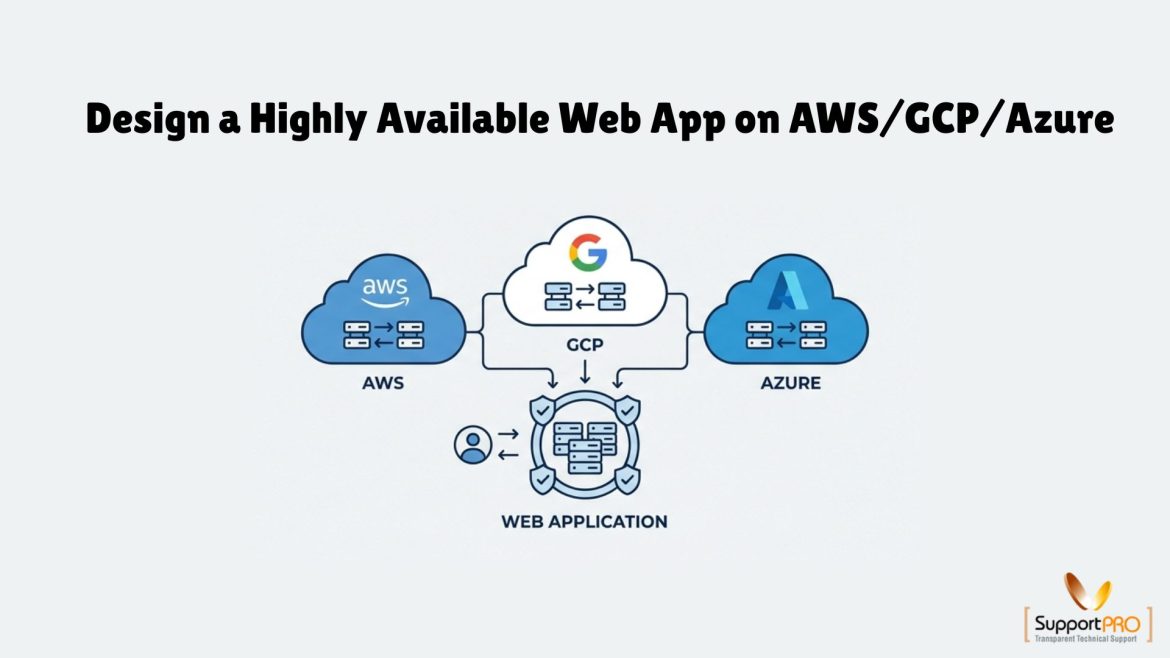
How to Build a Highly Available Web Application on AWS, GCP, and Azure
When your application goes down, customers get frustrated, transactions fail, and trust takes a hit. The longer it lasts, the more it costs not just in revenue, but in reputation. The good news? It’s not inevitable. Modern cloud platforms give you everything you need to build systems that keep running through failures whether that’s a server crash, a network outage, or even a full data center going dark. This is the power of High Availability (HA). In this guide, we’ll break down how to design, build, and test a resilient web app across AWS, GCP, and Azure so your business stays online when it matters most. What High Availability Really Means High Availability is more than just a vague promise …
Deployment of cloud infrastructure necessitates automation, consistency, and reliability. It is possible to automate, deploy, and consistently manage cloud infrastructure with AWS CloudFormation through Infrastructure as Code (IaC). With the ability to deploy cloud infrastructure automatically, it is easier to avoid mistakes related to manual deployment. Nonetheless, troubleshooting CloudFormation stacks becomes difficult with an increase in cloud environments’ complexity. Syntax issues, configuration issues, dependency issues, and service limit restrictions can lead to difficulties in deployment and troubleshooting of the stacks created. Therefore, it is important to be familiar with Best Practices for AWS CloudFormation Troubleshooting to be able to identify issues quickly and solve them effectively. AWS CloudFormation AWS CloudFormation is a platform offered by Amazon Web Services that lets …
Best Practices for IAM Roles and Policies in AWS SSM Automation
AWS Systems Manager (SSM) is a powerful service that enables you to manage infrastructure at scale. However, improper configuration of IAM roles and policies, especially for instance profiles and automation, can introduce significant security risks. This blog explores best practices for designing secure and efficient IAM roles when working with AWS SSM, ensuring least privilege access while maintaining operational flexibility. Understanding the Core Components Before diving into best practices, it’s important to understand two key IAM components involved in AWS SSM: Both require careful permission scoping to avoid over-privileged access. Best Practices for IAM Instance Profiles 1. Follow the Principle of Least Privilege Avoid attaching broad policies such as AmazonSSMFullAccess to instance roles. Instead: This ensures instances only perform necessary …