• Free Checkup
  • Emergency Support
  • Login
  • Sign Up
Server Management Tips
  • Cloud Support
    • Cloud Management
    • AWS support
    • Google Cloud support
    • Azure Support
    • DevOps Support
  • Server Administration
    • Node Management
    • Dedicated Server Support
  • OutSourced Tech Support
    • Dedicated Support
    • Dedicated Tech Support
    • Semi-Dedicated Tech Support
    • Dedicated Team Support
  • Client Support
    • Helpdesk Support
    • Live Chat Support
  • Emergency Support
    • Hourly Administration
    • Server Migration
    • Server Abuse Handling
  • Development
    • Hire a Developer
    • Hire a Development Team
Server Management Tips
  • Cloud Support
    • Cloud Management
    • AWS support
    • Google Cloud support
    • Azure Support
    • DevOps Support
  • Server Administration
    • Node Management
    • Dedicated Server Support
  • OutSourced Tech Support
    • Dedicated Support
    • Dedicated Tech Support
    • Semi-Dedicated Tech Support
    • Dedicated Team Support
  • Client Support
    • Helpdesk Support
    • Live Chat Support
  • Emergency Support
    • Hourly Administration
    • Server Migration
    • Server Abuse Handling
  • Development
    • Hire a Developer
    • Hire a Development Team
Copyright 2021 - All Right Reserved
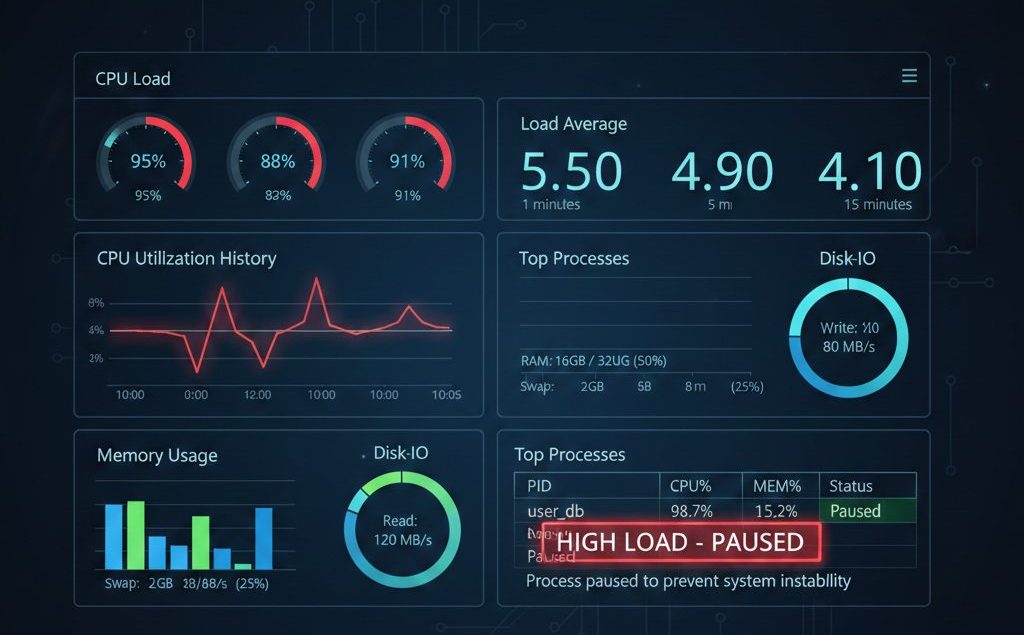
Linux server monitoring dashboard showing CPU load graphs, load average metrics, and system resource charts
Miscellaneous

How to Use CPUwatch to Prevent Server Overload on cPanel

by SupportPRO Admin July 3, 2010
written by SupportPRO Admin

Running resource-intensive processes on a production server can significantly impact performance if system load becomes too high. Tasks such as backups, migrations, account packaging, or large-scale data processing can temporarily spike CPU usage and load average. If these processes run without control, they may: To prevent this, administrators can use CPUwatch, a utility available on cPanel servers, to run commands with a predefined load limit. CPUwatch ensures heavy processes execute only when sufficient system resources are available — automatically pausing execution when load exceeds a safe threshold. Understanding Server Load and Why It Matters Before using CPUwatch, it’s important to understand load average. Load average represents: On Linux servers, load values are typically shown for: As a general rule: Load …

Continue Reading
July 3, 2010 0 comments
0 FacebookTwitterPinterestEmail
Technical Articles

How to find deleted files using EXT3GREP

by SupportPRO Admin July 1, 2010
written by SupportPRO Admin

1. Installing ext3grep wget http://ext3grep.googlecode.com/files/ext3grep-0.7.0.tar.gz tar -xvzf ext3grep-0.7.0.tar.gz cd ext3grep ./configure make

Continue Reading
July 1, 2010 0 comments
0 FacebookTwitterPinterestEmail
Linux Basics

How to Kill, Stop, and Resume User Sessions in Linux

by SupportPRO Admin June 23, 2010
written by SupportPRO Admin

skill -STOP -u Username.                 STOP/HALT a user skill -CONT -u Username                  RESUME already halted user skill -KILL -u Username                     KILL and LOGOUT user skill -KILL -v /dev/pts/*                       KILL and LOGOUT all users If you require help, contact SupportPRO Server Admin

Continue Reading
June 23, 2010 0 comments
0 FacebookTwitterPinterestEmail
Technical Articles

FFMPEG installation Latest

by SupportPRO Admin June 23, 2010
written by SupportPRO Admin

This is the latest steps for installing ffmpeg wget http://mirror.ffmpeginstaller.com/old/scripts/ffmpeg5/ffmpeginstaller.5.1.tar.gz tar zxf ffmpeginstaller.5.1.tar.gz cd ffmpeginstaller.5.1 ./install.sh ###Error 1: installation of mplayer failed..cause cannot stat the conf file. run the steps below cd /usr/local/cpffmpeg mkdir -p etc/mplayer cd /usr/src/ffmpegscript/mplayer

Continue Reading
June 23, 2010 0 comments
0 FacebookTwitterPinterestEmail
Enabling SSH keys using cPanel
Technical Articles

How to Enable SSH Key Authentication in cPanel/WHM for Secure Server Access

by SupportPRO Admin June 21, 2010
written by SupportPRO Admin

Securing remote server access is one of the most critical responsibilities for system administrators. Traditional password-based SSH logins are highly vulnerable to brute-force attacks, credential leaks, and automated login attempts. A more secure and recommended approach is SSH key authentication, which replaces passwords with encrypted cryptographic key pairs. This guide explains how to enable SSH key authentication in cPanel/WHM and safely connect to your server. Why Use SSH Keys Instead of Password Authentication? SSH key authentication enhances server security by verifying identity through encryption rather than reusable passwords. Unlike passwords that attackers can guess or steal, SSH keys require possession of a private cryptographic key stored on your local system. Key Benefits of SSH Key Authentication Step 1: Access SSH …

Continue Reading
June 21, 2010 0 comments
0 FacebookTwitterPinterestEmail
Linux Basics

Copy files from dir1 to dir2 without replacing the existing files on dir2

by SupportPRO Admin June 11, 2010
written by SupportPRO Admin

Copy files from dir1 to dir2 without replacing the existing files on dir2 [root@twenty ]# ls dir1  dir2 [root@twenty ]# ls dir1 a  b  c  d  e  f [root@twenty ]# ls dir2 a  b  c

Continue Reading
June 11, 2010 0 comments
0 FacebookTwitterPinterestEmail
General Topics

Blogging – What exactly does it do?

by SupportPRO Admin June 11, 2010
written by SupportPRO Admin

Blog, explained on simple words is considered to be an online diary, where a person or the author writes about anything that comes to his mind. This can be his thought about a current affair, a thought about the future technologies or even to make it simple it can also be about on how to make a cup of coffee. Blog’s can either be very complex or can be very simple. This is an online discussion, where people of all kinds can express their views and opinions from any part of the world.

Continue Reading
June 11, 2010 0 comments
0 FacebookTwitterPinterestEmail
Technical Articles

Server crash every day, httpd consumes all memory

by SupportPRO Admin June 11, 2010
written by SupportPRO Admin

Do the following: 1. Upgrade the kernel. The one you are running is slow, has bugs and has security vulnerabilities 2. Make sure you are an up to date compilation of httpd and php (i.e. rebuild it through WHM). 3. Check in WHM > Apache Status to see what the children hogging resources are doing

Continue Reading
June 11, 2010 0 comments
0 FacebookTwitterPinterestEmail
Miscellaneous

What Is .htaccess? | Beginner’s Guide

by SupportPRO Admin June 5, 2010
written by SupportPRO Admin

If you run a website on an Apache server, the .htaccess file is one of the most powerful tools available to you. It allows you to control how your server behaves without modifying the main server configuration. Understanding .htaccess helps you manage redirects, secure directories, customize error pages, and improve website functionality, all from a single file. What is .htaccess? The .htaccess file (hypertext access) is a configuration file used by Apache web servers. It allows website owners to control access settings and modify server behavior at the directory level. With .htaccess, you can: It gives you granular control over how your server responds to requests. Why Is It Called .htaccess? The file has no extension and begins with a dot. This prevents …

Continue Reading
June 5, 2010 0 comments
0 FacebookTwitterPinterestEmail
Technical Articles

OpenSSH Public Key Authentication: How to Set Up Passwordless SSH Login

by SupportPRO Admin June 5, 2010
written by SupportPRO Admin

Public-key authentication is is based on the use of digital signatures. Each users have to create a pair of keys. ie public key and private key. Private key is owned by user and the public key is given to the server. When the user tries to authenticate, server check for the matching public key and sends a challenge to the user. Private key is used to authenticate the user, so never provide your private keys to others. If anyone got your private key, they can login to the server as you. So keep your private key file in a secure place and make sure that no one else has access to it. Secure Shell (SSH) public key authentication is used …

Continue Reading
June 5, 2010 0 comments
0 FacebookTwitterPinterestEmail
Newer Posts
Older Posts

Services

  • Outsourced hosting support
  • Server administration
  • Web Programming
  • Why “Free Memory” Is Low but Linux Isn’t Actually Out of Memory
    If you have ever run free -h on a Linux server and noticed that the free memory value is surprisingly low, your first reaction might be: “Is the server running…
  • Upgrade CentOS, AlmaLinux, and CloudLinux with cPanel ELevate
    Keeping a server operating system up to date is essential for security, compatibility, and long-term stability. For hosting servers running cPanel, however, an operating system upgrade can be more complicated…
  • What Logs Should a Systems Engineer Collect Before Rebooting a Production Server?
    Rebooting a production server may seem like a routine task, especially when troubleshooting performance issues, applying updates, or recovering from a service failure. However, a reboot can erase valuable information…

Categories

  • ansible
  • Artificial Intelligence
  • AWS
  • AWS managed service provider
  • AWS Support
  • aws support services
  • Build Automation
  • Business
  • Case Study
  • Cloud
  • Cloud Managed Service
  • Cloud Support Services
  • Cloudflare
  • Compiling tools
  • cPanel
  • Database
  • dedicated server support
  • Dedicated servers
  • Dedicated tech support
  • DevOps
  • Disaster Recovery
  • Docker
  • GCP
  • General Topics
  • JetBackup
  • Linux
  • Linux Basics
  • live chat
  • live chat support
  • Miscellaneous
  • MySQL
  • Open source
  • OpenClaw
  • Outsourced tech support
  • Recovery & Backup
  • Remote infrastructure Management
  • RunCloud
  • Security
  • Server
  • server checkup
  • server management
  • server Migration
  • Server Monitoring
  • Server Security
  • server support
  • Server Tweaking
  • Technical Articles
  • Troubleshooting
  • VPS
  • web hosting
  • web hosting support
  • Windows Server
  • WordPress

CONTACT US

Sales and Support

Phone: 1-(847) 607-6123
Fax: 1-(847)-620-0626
Sales: sales@supportpro.com
Support: clients@supportpro.com
Skype ID: sales_supportpro

Postal Address

1020 Milwaukee Ave, #245,
Deerfield, IL-60015
USA

  • Industry Solutions
    • Web Hosting Services
    • Service Providers
    • E-Commerce Companies
    • Software Vendors
    • Web Developers
    • ISPs
    • Services
  • About Us
    • Company
    • Technical Blog
    • Careers
    • FAQ
    • Partners
    • Site Map
    • Affiliates
  • Popular Plans
    • Dedicated Team Support
    • Helpdesk Support
    • Hourly Administration
    • Legal
    • Privacy Statement
    • Terms of Use
    • How we work

©2022  SupportPRO.com. All Rights Reserved

X-twitter Facebook Linkedin Rss
Server Management Tips
  • Home