

• Free Checkup
  • Emergency Support
  • Login
  • Sign Up
Server Management Tips
  • Cloud Support
    • Cloud Management
    • AWS support
    • Google Cloud support
    • Azure Support
    • DevOps Support
  • Server Administration
    • Node Management
    • Dedicated Server Support
  • OutSourced Tech Support
    • Dedicated Support
    • Dedicated Tech Support
    • Semi-Dedicated Tech Support
    • Dedicated Team Support
  • Client Support
    • Helpdesk Support
    • Live Chat Support
  • Emergency Support
    • Hourly Administration
    • Server Migration
    • Server Abuse Handling
  • Development
    • Hire a Developer
    • Hire a Development Team
Server Management Tips
  • Cloud Support
    • Cloud Management
    • AWS support
    • Google Cloud support
    • Azure Support
    • DevOps Support
  • Server Administration
    • Node Management
    • Dedicated Server Support
  • OutSourced Tech Support
    • Dedicated Support
    • Dedicated Tech Support
    • Semi-Dedicated Tech Support
    • Dedicated Team Support
  • Client Support
    • Helpdesk Support
    • Live Chat Support
  • Emergency Support
    • Hourly Administration
    • Server Migration
    • Server Abuse Handling
  • Development
    • Hire a Developer
    • Hire a Development Team
Copyright 2021 - All Right Reserved
Technical Articles

SSL certificate installation using Openssl

by SupportPRO Admin June 5, 2010
written by SupportPRO Admin

In order to get a valid SSL certificate, you will need to generate a CSR that a certificate signing authority (such as Verisign or Thawte) will request. You have to determine the URL for the secured web site – this should be a Fully Qualified Domain Name (FQDN), i.e. if you want to access your secured website through https://www.example.com/, then the FQDN of your website is www.example.com Select a few large and relatively random files on your server – compressed log files are a good start. These will act as your random seed enhancers. We refer to these as file1:file2:…:file5 below. Generate a key with the following command:

Continue Reading
June 5, 2010 0 comments
0 FacebookTwitterPinterestEmail
Miscellaneous

MySQL Socket Error in phpMyAdmin

by SupportPRO Admin June 4, 2010
written by SupportPRO Admin

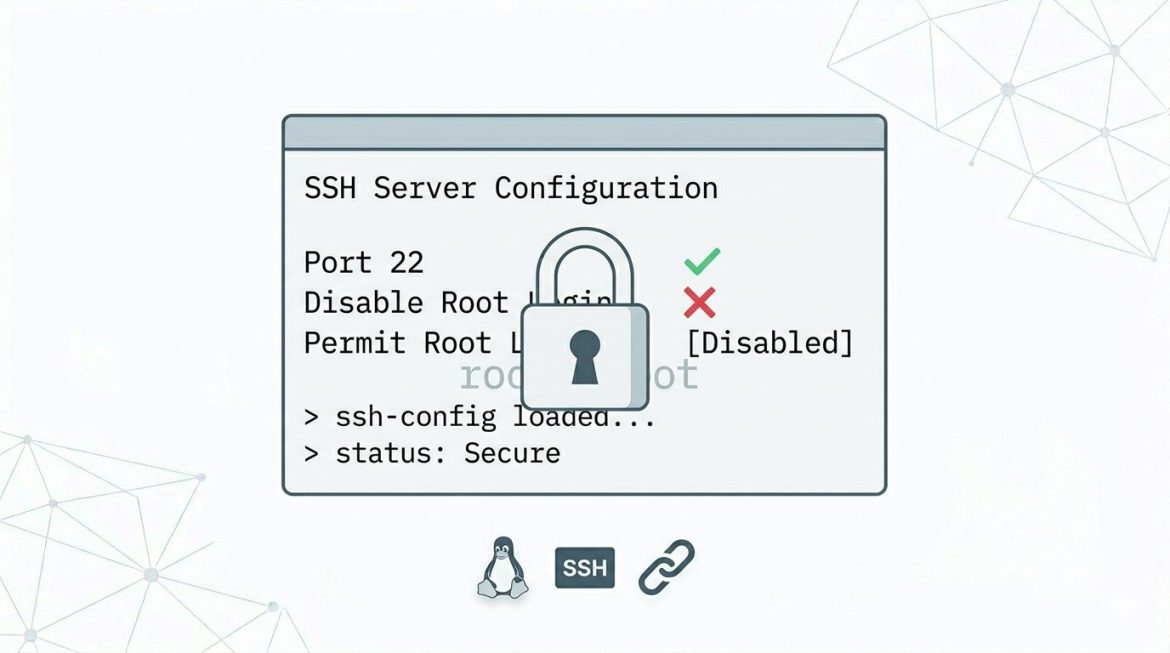
While accessing phpMyAdmin, you may get the following error. #2002 – The server is not responding (or the local MySQL server’s socket is not correctly configured) This is due to the missing socket file in the location /tmp. The socket path which is specified in the phpMyAdmin configuration file is /tmp/mysql.sock.
Continue Reading
June 4, 2010 0 comments
0 FacebookTwitterPinterestEmail
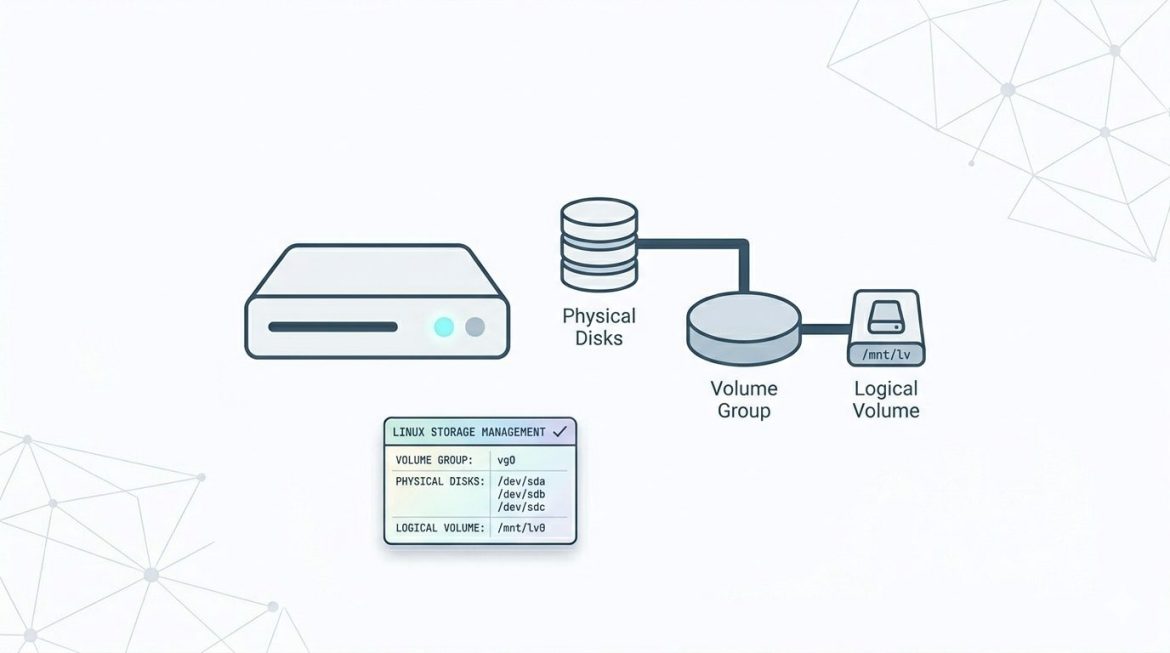
Logical Volume Manager (LVM)
Miscellaneous

LVM in Linux: Create, Manage, and Extend Logical Volumes

by SupportPRO Admin June 4, 2010
written by SupportPRO Admin

Logical Volume Manager (LVM) is a flexible storage management system in Linux that allows administrators to manage disk space more efficiently than traditional disk partitions. Instead of fixed partitions, LVM lets you create logical volumes that can be resized, extended, or reduced without major downtime. This guide explains what LVM is, important terminology, and how to create and extend logical volumes step by step. What Is LVM? LVM (Logical Volume Manager) is a method of allocating storage into logical volumes rather than static partitions. It provides flexibility by allowing multiple disks to be combined into a single storage pool. Key Advantages of LVM Important LVM Concepts Understanding LVM terminology is essential before creating volumes. 1. Physical Volumes (PV) Physical Volumes …
Continue Reading
June 4, 2010 0 comments
0 FacebookTwitterPinterestEmail
How to Set Up a VPS on Debian
Technical Articles

How to Set Up a VPS on Debian Using OpenVZ | Step-by-Step Guide

by SupportPRO Admin June 4, 2010
written by SupportPRO Admin

Creating a Virtual Private Server (VPS) using OpenVZ allows administrators to deploy lightweight virtual environments quickly and efficiently. This guide explains how to create, configure, and manage a Debian VPS, install Apache, PHP, MySQL, and deploy phpBB. Create a Debian VPS Using OpenVZ OpenVZ templates are typically stored in: Create a new VPS using the Debian minimal template: Important:Each VPS requires a unique container ID. Here, 157 is used as an example. Configure VPS Startup Enable automatic startup at system boot: Set Hostname and IP Address Assign hostname: Assign IP address: Configure Network and Resources Set socket limits: Add DNS nameservers: Alternatively, edit the container configuration file directly: Start and Access the VPS Start the container: Set the root password: …

Continue Reading
June 4, 2010 0 comments
0 FacebookTwitterPinterestEmail
SSL Certificate Not Trusted Error Causes and Fixes
Technical Articles

SSL Certificate Not Trusted Error: Causes and Fixes

by SupportPRO Admin May 31, 2010
written by SupportPRO Admin

Have you ever wondered why, when you access a website through a secure connection, you get a warning that the certificate is not issued by a trusted authority? In most cases, the  exact warning message  that you will get depends on your browser as follows: IE: The security certificate presented by this website was not issued by a trusted certificate authority! Firefox: The certificate is not trusted because the issuer certificate is unknown. (Error code: sec_error_unknown_issuer)

Continue Reading
May 31, 2010 0 comments
0 FacebookTwitterPinterestEmail
Miscellaneous

How to recover lost root password

by SupportPRO Admin February 5, 2010
written by SupportPRO Admin

If you loose your server root password what would you do? It is not the end of the world. You can recover it in a single user mode.

Continue Reading
February 5, 2010 0 comments
0 FacebookTwitterPinterestEmail
EXIM-MTA
General Topics

Exim Utilities: Essential Tools for Mail Server Administration

by SupportPRO Admin September 7, 2009
written by SupportPRO Admin

Exim is a widely used Mail Transfer Agent (MTA) that comes pre-installed on many Linux and Unix-based systems. It is responsible for routing and delivering email messages across networks. Because of its flexibility, scalability, and powerful configuration options, Exim is commonly used on servers that manage large volumes of email traffic. To simplify administration and troubleshooting, Exim provides a variety of built-in utilities. These tools help system administrators monitor mail queues, analyze logs, manage databases, and maintain server performance. Understanding these utilities can make it easier to diagnose issues and keep your mail server running efficiently. Below are some of the most commonly used Exim utilities and their functions. Common Exim Utilities exiwhat – Check Running Exim Processes The exiwhat …

Continue Reading
September 7, 2009 0 comments
0 FacebookTwitterPinterestEmail
Technical Articles

Perl Modules ..

by SupportPRO Admin August 24, 2009
written by SupportPRO Admin

PERL MODULES What is Perl? Perl is a high-level programming language with an eclectic heritage written by Larry Wall and a cast of thousands. It derives from the ubiquitous C programming language and to a lesser extent from sed, awk, the Unix shell, and at least a dozen other tools and languages. Perls process, file, and text manipulation facilities make it particularly well-suited for tasks involving quick prototyping, system utilities, software tools, system management tasks, database access, graphical programming, networking, and world wide web programming. These strengths make it especially popular with system administrators and CGI script authors, but mathematicians, geneticists, journalists, and even managers also use Perl.

Continue Reading
August 24, 2009 0 comments
0 FacebookTwitterPinterestEmail
Technical Articles

Mod_Perl.. Configuring and troubleshooting..

by SupportPRO Admin August 19, 2009
written by SupportPRO Admin

Mod_Perl 1. What is mod_perl ? 2. Working of mod_perl. 3. Advantage & Disadvantages of mod_perl. 4. Downloading and Installation. 5. Configuration. 6. Some common errors.

Continue Reading
August 19, 2009 0 comments
0 FacebookTwitterPinterestEmail
Server Security

PHP DSO ..

by SupportPRO Admin August 13, 2009
written by SupportPRO Admin

PHP DSO DSO – Dynamically Shared Objects Apache with PHP can be installed in two different ways. Statically embed the PHP binary into the Apache binary. This is probably the fastest and best way to run PHP Install Apache and PHP is by using Apaches DSO module Why DSO? Apache supports adding modules on instead of embedding them in the httpd binary. This works well when you dont want to re-compile Apache each time a module is updated, or if you want to add on numerous modules for development purposes System Administrators Dream: Allows developers to upgrade PHP without having to recompile Apache

Continue Reading
August 13, 2009 0 comments
0 FacebookTwitterPinterestEmail
Newer Posts
Older Posts

Services

  • Outsourced hosting support
  • Server administration
  • Web Programming
  • Why “Free Memory” Is Low but Linux Isn’t Actually Out of Memory
    If you have ever run free -h on a Linux server and noticed that the free memory value is surprisingly low, your first reaction might be: “Is the server running…
  • Upgrade CentOS, AlmaLinux, and CloudLinux with cPanel ELevate
    Keeping a server operating system up to date is essential for security, compatibility, and long-term stability. For hosting servers running cPanel, however, an operating system upgrade can be more complicated…
  • What Logs Should a Systems Engineer Collect Before Rebooting a Production Server?
    Rebooting a production server may seem like a routine task, especially when troubleshooting performance issues, applying updates, or recovering from a service failure. However, a reboot can erase valuable information…

Categories

  • ansible
  • Artificial Intelligence
  • AWS
  • AWS managed service provider
  • AWS Support
  • aws support services
  • Build Automation
  • Business
  • Case Study
  • Cloud
  • Cloud Managed Service
  • Cloud Support Services
  • Cloudflare
  • Compiling tools
  • cPanel
  • Database
  • dedicated server support
  • Dedicated servers
  • Dedicated tech support
  • DevOps
  • Disaster Recovery
  • Docker
  • GCP
  • General Topics
  • JetBackup
  • Linux
  • Linux Basics
  • live chat
  • live chat support
  • Miscellaneous
  • MySQL
  • Open source
  • OpenClaw
  • Outsourced tech support
  • Recovery & Backup
  • Remote infrastructure Management
  • RunCloud
  • Security
  • Server
  • server checkup
  • server management
  • server Migration
  • Server Monitoring
  • Server Security
  • server support
  • Server Tweaking
  • Technical Articles
  • Troubleshooting
  • VPS
  • web hosting
  • web hosting support
  • Windows Server
  • WordPress

CONTACT US

Sales and Support

Phone: 1-(847) 607-6123
Fax: 1-(847)-620-0626
Sales: sales@supportpro.com
Support: clients@supportpro.com
Skype ID: sales_supportpro

Postal Address

1020 Milwaukee Ave, #245,
Deerfield, IL-60015
USA

  • Industry Solutions
    • Web Hosting Services
    • Service Providers
    • E-Commerce Companies
    • Software Vendors
    • Web Developers
    • ISPs
    • Services
  • About Us
    • Company
    • Technical Blog
    • Careers
    • FAQ
    • Partners
    • Site Map
    • Affiliates
  • Popular Plans
    • Dedicated Team Support
    • Helpdesk Support
    • Hourly Administration
    • Legal
    • Privacy Statement
    • Terms of Use
    • How we work

©2022  SupportPRO.com. All Rights Reserved

X-twitter Facebook Linkedin Rss
Server Management Tips
  • Home