

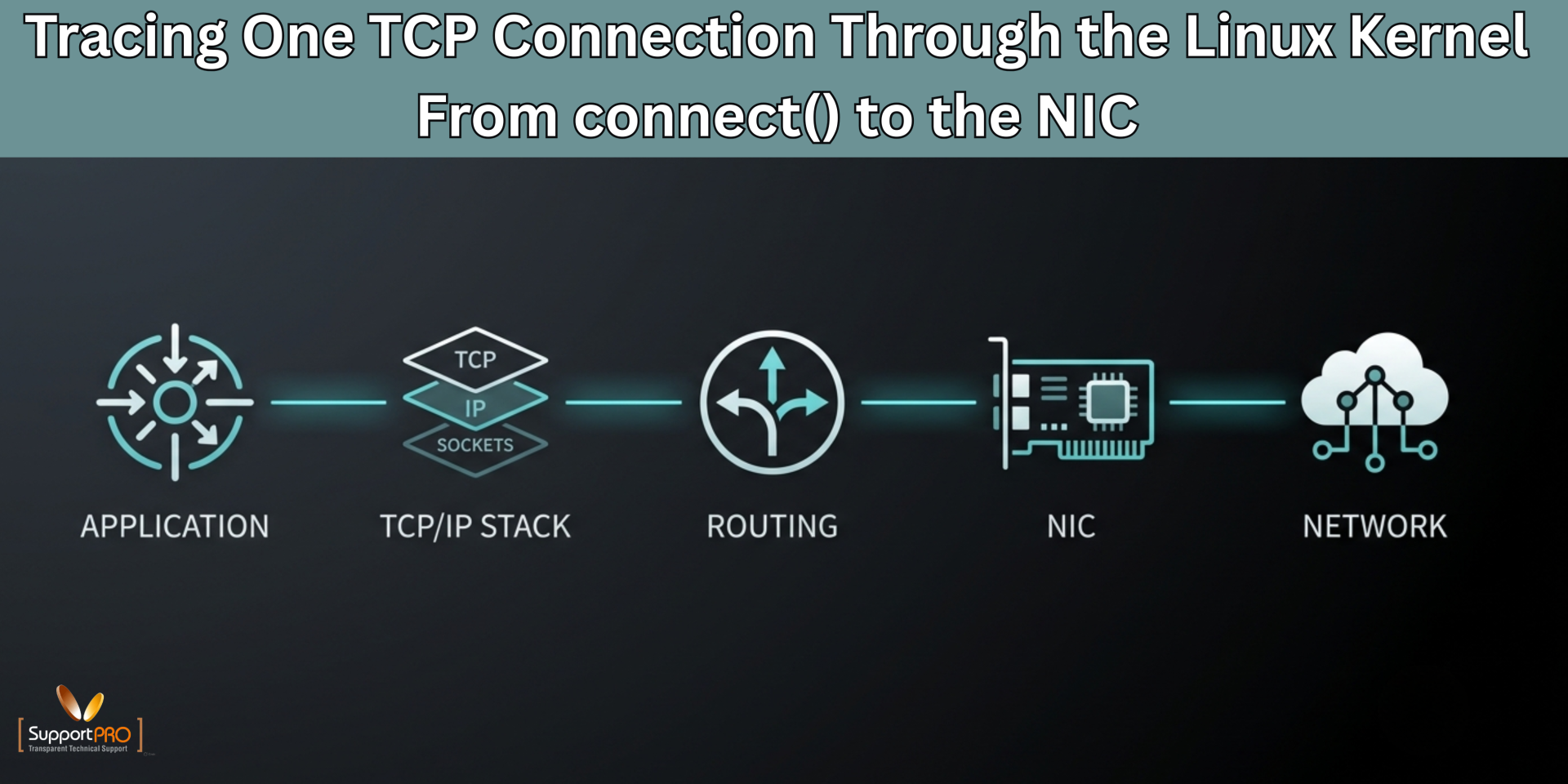
When a Linux application connects to a remote service, the operation looks simple:
connect()
But behind this single system call, the Linux networking stack performs several steps before a TCP packet reaches the physical network interface. The request passes through the socket layer, TCP implementation, routing subsystem, packet-processing hooks, queuing mechanisms, and finally the network device driver.
Understanding this path is useful when troubleshooting connection delays, packet drops, unexpected routes, high CPU usage, or network performance problems.
This article follows one outbound TCP connection from an application to the NIC.
1. The Application Calls connect()
Consider a simple application connecting to a web server:
connect(sockfd, (struct sockaddr *)&server, size of(server));
The application does not construct an Ethernet frame or TCP packet itself. It asks the Linux kernel to establish a connection through the socket interface.
The system call enters the kernel and reaches the networking socket layer.
At this point, Linux knows information such as:
- Source socket
- Destination IP address
- Destination port
- Protocol: TCP
- Local address and port, if already selected
If the application supplied a hostname, DNS resolution normally happens before connect() receives the destination address.
2. The Socket Layer Identifies TCP
Linux represents network endpoints using socket structures. When the socket was created with:
socket(AF_INET, SOCK_STREAM, 0);
the kernel knows that the application wants an IPv4 stream socket using TCP.
The connect() operation therefore enters the TCP-specific implementation.
TCP must now determine whether a connection already exists and prepare a new connection if necessary.
For a new connection, TCP selects a local source port if the application has not explicitly bound one.
It then prepares the first packet of the TCP three-way handshake:
Client Server
| |
| ——– SYN ————–> |
| |
The SYN packet contains information such as the source port, destination port, initial sequence number, and negotiated TCP options.
3. TCP Builds the Packet
The TCP layer creates the transport portion of the packet and passes it toward the IP networking layer.
This is where the familiar networking model becomes useful:
Application
|
Socket
|
TCP
|
IP
|
Routing
|
Netfilter / packet processing
|
Qdisc
|
NIC driver
|
Network card
TCP is responsible for transport-level behavior. IP is responsible for getting the packet toward the destination address.
The kernel also maintains TCP state. Before the server responds, the client-side connection normally moves into:
SYN-SENT
You can observe this with:
ss -tan
4. The Routing Layer Chooses the Path
Once TCP has prepared the segment, Linux needs to determine where the IP packet should be sent.
The routing subsystem examines the destination IP and consults the routing table.
For example:
ip route
might show:
default via 192.168.1.1 dev eth0
192.168.1.0/24 dev eth0 proto kernel scope link
If the destination is outside the local subnet, the packet may use the default gateway.
A route lookup effectively answers:
Which interface should transmit this packet?
Which next-hop address should be used?
This distinction is important. The remote server’s IP address may not be the Ethernet destination. On a normal routed network, the Ethernet frame is initially addressed to the next-hop gateway.
5. Neighbor Resolution Finds the MAC Address
Before Linux can transmit an IPv4 packet over Ethernet, it needs the MAC address of the next hop.
The kernel uses ARP for IPv4.
For IPv6, Neighbor Discovery performs the equivalent function.
You can inspect the neighbor cache with:
ip neigh
For example:
192.168.1.1 dev eth0 lladdr 00:11:22:33:44:55 REACHABLE
If the required neighbor information is unavailable, Linux may need to resolve it before transmission.
This can become an important troubleshooting point when connectivity appears to fail even though the routing table looks correct.
6. Netfilter and Kernel Packet Processing
Before the packet reaches the network device, it can pass through several kernel networking mechanisms.
Netfilter provides hooks used by technologies such as:
- iptables
- nftables
- Connection tracking
- NAT
For example, a server performing source NAT may modify the packet before it leaves the system.
You can inspect current nftables rules with:
nft list ruleset
A packet can therefore have a valid route but still be modified, accepted, or dropped by packet-filtering logic.
7. The Packet Enters the Queuing Layer
Linux does not necessarily send every packet directly to the hardware as soon as it is created.
The packet can pass through the traffic-control subsystem and its queueing discipline, commonly called qdisc.
Inspect the configuration with:
tc qdisc show
Queueing disciplines can control packet scheduling, shaping, prioritization, and congestion behavior.
Under heavy traffic, this area becomes particularly relevant when investigating packet latency or transmit queue problems.
8. The NIC Driver Takes Over
Eventually, the packet reaches the network device driver.
The driver translates the kernel’s packet representation into something the network hardware can transmit.
Modern Linux networking commonly uses mechanisms such as:
- DMA
- TX descriptor rings
- Hardware checksum offload
- TCP segmentation offload
- Generic segmentation offload
Instead of asking the CPU to perform every low-level operation, Linux can allow the NIC to handle some work.
You can inspect interface and driver information with:
ethtool eth0
and:
ethtool -i eth0
The driver places transmission information into the hardware’s transmit structures, and the NIC eventually puts the Ethernet frame onto the wire.
9. What Happens After the SYN Leaves?
The first SYN is only the beginning.
The remote system eventually responds with:
SYN + ACK
Linux receives that frame through the NIC’s receive path. The driver passes the packet into the kernel networking stack, where IP and TCP process it.
TCP recognizes the response as belonging to the connection and sends the final ACK.
The connection then reaches:
ESTABLISHED
You can verify this using:
ss -tan
The application can now exchange data through the established TCP socket.
10. How to Trace the Path During Troubleshooting
Understanding this sequence provides a practical troubleshooting framework.
If connect() hangs, investigate several points rather than assuming the application is responsible.
Start with:
ss -tan
ip route
ip neigh
Then inspect packet-filtering rules:
nft list ruleset
Capture traffic directly:
tcpdump -ni eth0 host <destination-ip>
If you see the SYN leaving but no SYN-ACK returning, the problem may exist beyond the local host.
If no SYN appears on the interface, investigate routing, filtering, socket behavior, or the local kernel path.
Interface statistics can also reveal problems:
ip -s link show eth0
and:
ethtool -S eth0
These commands can expose drops, errors, queue problems, and other NIC-level counters.
Conclusion
A Linux TCP connection is the result of multiple kernel subsystems working together. The application starts with connect(), but the request then travels through the socket layer, TCP, IP routing, neighbor resolution, packet filtering, traffic control, and finally the NIC driver.
The simplified path is:
Application
↓
connect()
↓
Socket layer
↓
TCP
↓
IP
↓
Routing / Neighbor lookup
↓
Netfilter
↓
Traffic control
↓
NIC driver
↓
Network hardware
↓
Wire
Knowing this path makes network troubleshooting much more precise. Instead of treating a failed connection as a single problem, administrators can determine exactly where the packet stops and investigate that subsystem directly.
Facing issues?
Our technical support
engineers can solve it.


