

The AWS VPC routing problem can be solved by checking each network element to determine where the traffic is being stopped or improperly routed.
AWS VPC routing is used in AWS Virtual Private Cloud for traffic management.
The incorrect routing settings in the route tables of the VPC could cause trouble in the communication of the application with its database, servers, or the internet because of the absence of routes, incorrect configuration of gateways, or incorrect association of the subnet. These factors could result in poor performance of the application, connection timeouts, and even failure of the whole system.
Common reasons,
1. The application can’t reach the internet
2. The instances do not communicate with each other
3. The database connection fails
4. The load balancer is not reachable
5. The VPN connectivity is broken
- Checking route table
First, we need to check the route table configuration.
Log in to the AWS console >> Click on VPC >> Route tables.
Afetr login that page, we need to check the subnet configuration as per the resources
For eg:-
10.0.0.0/21: it is associated with local
0.0.0.0/0 its for the local gateway
192.2.5.154/16: it’s associated for vpn
Common reason
- The default route may be missing
- The target configuration may be wrong
- The CIDR block may be incorrect
B. Check the subnet type:
There are two subnets; we need to check which subnet is associated with the particular instance
Public subnets like this
0.0.0.0/0 its internet gateway
Private subnet like this
0.0.0.0/0 NAT gateway
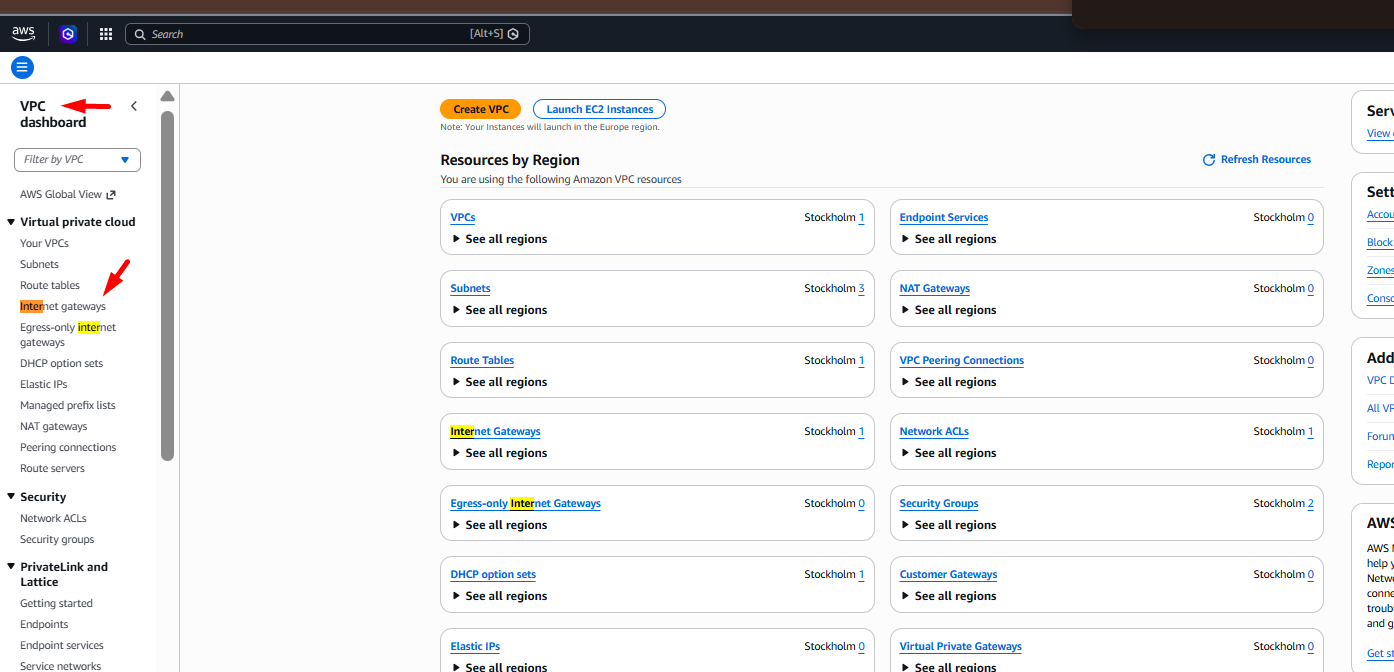
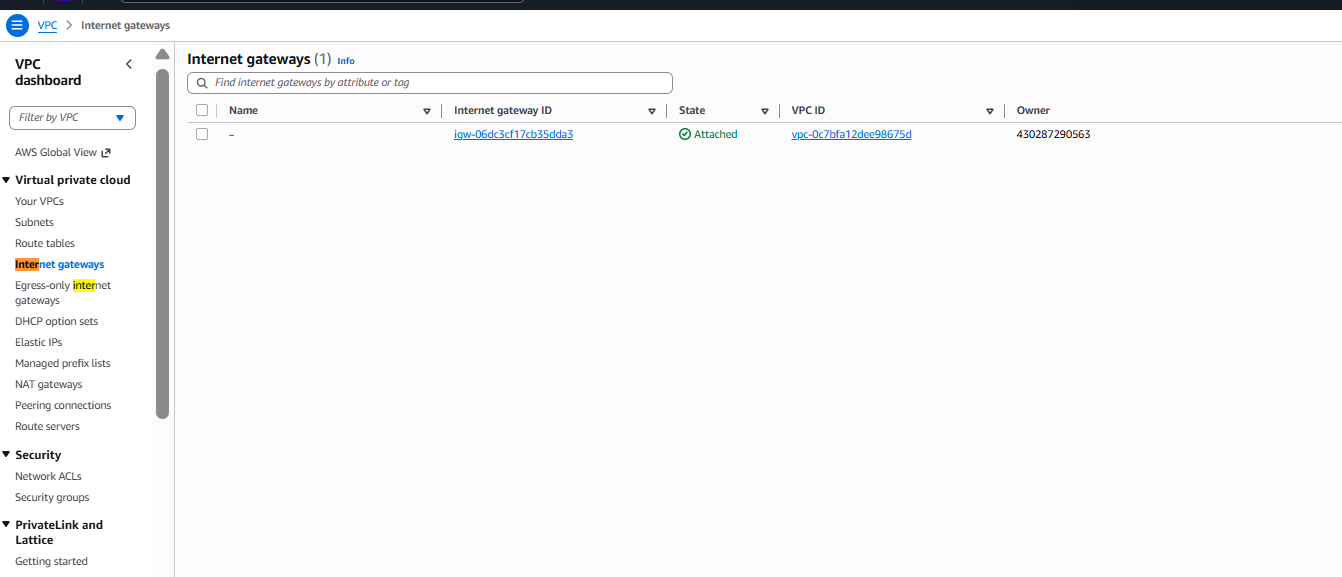
C . Check the internet gateway
Click on VPC>> Internet Gateways
Please check the following things and confirm them
- The internet gateway exists
- The instance is attached to the correct VPC
3. The route table searches the correct gateway
D. Check the NAT gateway
I would like to tell you that the private instances need outbound instances
a. Need to check the following things
b. The NAT gateway is available; it’s located in the public subnet.
C. Check if the IP is assigned or not
D. The route table should be pointing to the NAT gateway.
If you notice the NAT gateway is still routing to the wrong route table, kindly remove it
6. Check Security Group
If the routing tables are correctly set, but sometimes the security group is causing an issue, and it may be causing traffic to be blocked
Need to check the inbound rule and outbound rule
- HTTP(80)
- HTTPS(443)
- SSH(22)
- Database ports (3306)
Please check that all outbound ports are allowed
E. Kindly check the network ACL
Kindly check and verify the inbound and outbound rules
The inbound rule is allowed, but the outbound rule is denied in this case, outbound ip’s are denied
F. Check the instance configuration
First, go to the E2 check IP route.
Using the command ip route
Also use IP address and check all network configurations
Kindly check if the correct private IP is assigned or not
Also confirm the subnet mask if there is any default gateway present or not
G. Test the connection
Use different networking tools to check network connectivity
Check ping.
Eg:- Ping 8.8.8.8
Check Tracert
Eg:- Tracert 8.8.8.8
Also check the DNS test.
Nslookup google.com
To test the HTTP connection using the curl command
Like curl https://google.com
H. DNS setting
First, access the vpc >> DNS settings.
Please verify the dns settings
Kindly confirm DNS resolution and DNS hostname are both enabled
We can also check the configuration using the command below
Cat /etc/resolve.conf
I: DNS Resolution: –
As per checking, it was found that many networks are having DNS issues
To check the issue
- Nslookup api.example.com
- dig api.example.com
Kindly check that DNS resolution and hostname are enabled
J. Check the reachability analyzer
- Check the route tables
- Check NetACLs
- Check VPC peering
- Check the security groups
- Check the network transit
J: Kindly enable VPC flow logs.
In order to resolve the AWS VPC routing problem, look at each network device to identify if there is any issue that is blocking traffic from getting through.
Please check the output below
Accept TCP 10.0.1.15 10.0.2.10 443
Reject TCP 10.0.1.15 10.0.2.1 443
=====================
Common routing issue with resolution
1. Unable to get an internet connection
Missing Internet Gateway route
2. Unable to download packages on private instances
Missing NAT Gateway
3. EC2 unable to communicate with RDS
Security Group or NACL restriction
4. Unable to establish cross-VPC connectivity
Missing peering routes
5. VPN unable to access VPC
VPN route propagation issue
6. Intermittent problem
NACL blocking ephemeral ports
7. DNS resolves but unable to connect
Incorrect route or security group
8. Works in one subnet only
Wrong subnet-to-route-table association
Facing issues?
Our technical support
engineers can solve it.


