

As internet users we are all aware of the infections that are caused to our systems. We call each infections a set of medical terms like viruses,worms etc. so at some point of time we may even say my computer has caught a flue while browsing , just kidding . All apart we always trust on antivirus and some software to treat these viruses as doctors. My agenda here is to let a light pass though everyones mind so that they could understand what are these viruses and infections that we are dealing with.
Sometimes increasing the PHP memory limit in php.ini does not resolve memory-related errors. Even after updating the configuration, applications like WordPress may still display out of memory errors. This usually happens because Apache memory restrictions override PHP settings. Why PHP Memory Limit Changes May Not Work In cPanel/WHM servers, Apache can enforce its own memory limits independent of PHP configuration. You should verify the following WHM setting: WHM → Service Configuration → Apache Configuration → Memory Usage Restrictions This feature controls Apache’s memory usage based on historical resource consumption. How Memory Usage Restrictions Work The Memory Usage Restrictions option: When enabled, WHM automatically adds the following directive to the Apache configuration: Here, XXX represents the maximum memory allowed for each …
You can set a junk email filter, which can automatically scan your e-mail and move spam into another folder, titled Junk E-mail. Please follow the steps below: 1. On the Tools menu, click Options. 2. On the Preferences tab, under E-mail, click Junk E-mail. 3. Select the level of protection that you want.
When a users browser calls a PHP script, the process is as follows. 1.Users browser request the page2.PHP script gets compiled by server3.Execution of the compiled version4.Output data. Normally the applications such as programs on our desktop are already compiled. But this is not in the case of scripting languages such as PHP,Perl etc. They are compiled only on demand. Converting source code to machine code consumes a lot of resources. Opcode cache stores the opcode in a cache. Thus instead of constantly recompiling the source code it execute the opcode cache. So there is need for PHP script gets compiled by server and this speeds up the site. There are many opcode cache such as Xcache,APC,Zend Optimizer etc. They …
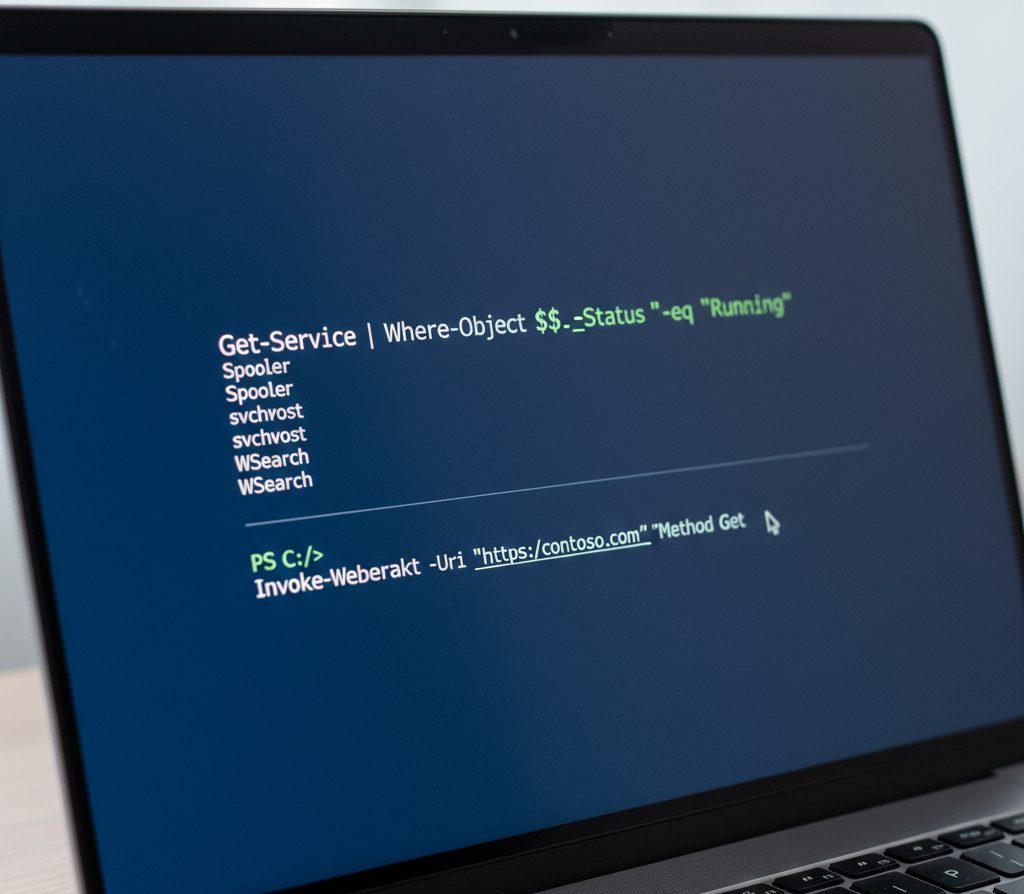
If you manage Windows servers or systems, you’ve probably heard about PowerShell. But many people only use it for basic commands and never unlock its real potential. PowerShell is much more than a command prompt. It is a powerful automation tool that can manage systems, services, applications, and even remote computers — all from a single interface. In this guide, we’ll explain what PowerShell is, what it can do, and provide practical command examples you can use immediately. What Is PowerShell? PowerShell is a command-line shell and scripting language developed by Microsoft for Windows system administration and automation. It is built on the .NET Framework and allows administrators to interact with the operating system using structured commands called cmdlets. Unlike …
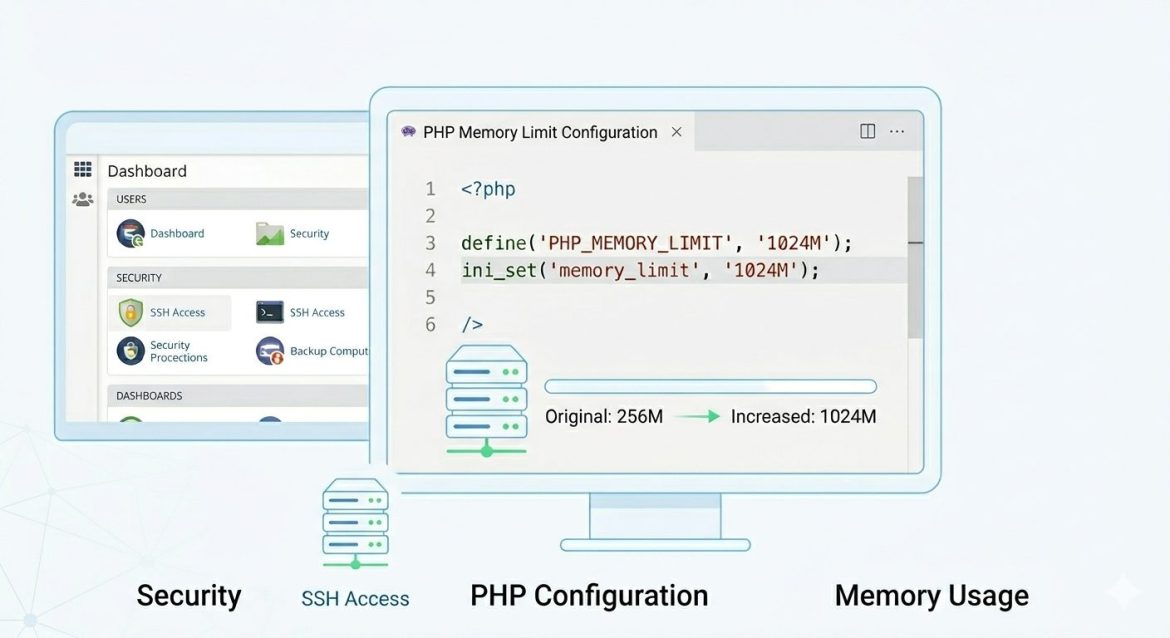
When working with large PHP applications, you may encounter the “Allowed memory size exhausted” error. This happens when a script consumes more memory than PHP allows. Increasing the PHP memory limit helps prevent script failures during heavy operations such as data processing, backups, or file uploads. This guide explains how to Increase PHP Memory Limit safely using different methods depending on your server setup. What Is PHP memory_limit? The memory_limit setting defines the maximum amount of memory a PHP script can use while running. Once this limit is reached, PHP stops execution to protect server resources and maintain stability. Most hosting environments set the default memory limit between 64MB and 128MB, which may not be sufficient for demanding applications. Common …
The time that web pages take to load increases because static resources must be downloaded over the network. These resources can be cached by the browser using HTTP caching. Once a resource is cached, the browser loads the stored copy instead of downloading it again, reducing page load time. Browser caching helps reduce the total payload size, saves bandwidth, and eliminates repeated HTTP requests for the same resources. Cacheable resources include JavaScript and CSS files, image files, and other binary objects such as media files and PDFs. HTML files are usually dynamic and should be cached carefully, typically for shorter durations. In Apache, browser caching is handled using the mod_expires and mod_headers modules, which control cache behavior through HTTP headers …
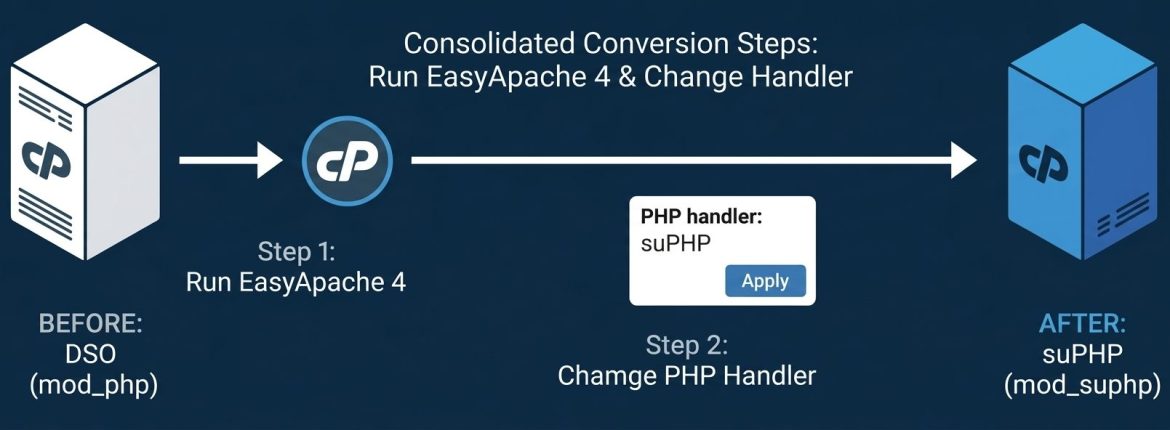
suPHP adds an extra layer of security to your server by ensuring that PHP scripts run under the account’s own user instead of the default nobody user used by Apache in DSO mode. This makes it easier to track vulnerabilities and isolate security issues caused by insecure PHP scripts. Switching from DSO to suPHP improves accountability, enhances security, and prevents unauthorized access across user accounts in shared hosting environments. Why Use suPHP? Using suPHP offers several advantages: Steps to Convert PHP Handler from DSO to suPHP 1. Switch to suPHP Handler Login to your server as root and run: Alternatively, you can switch via WHM: Once completed: 2. Update Folder Permissions Set all directory permissions to 755: 3. Update File …
Resizing an LVM partition, especially reducing the root ( / ) partition, requires careful planning because the root filesystem cannot be unmounted while the system is running. To safely perform this operation, the server must be booted into a rescue environment, allowing administrators to modify disk partitions without risking data corruption. This guide explains how to safely reduce an LVM root partition using SystemRescueCd. Prerequisites Before starting: 👉 http://www.sysresccd.org/Download Step 1: Boot the Server in Rescue Mode Reboot the server and enter BIOS/Boot Menu. Step 2: Identify the Root LVM Partition Before resizing, identify which LVM partition is mounted as /. You can verify this using: Check /etc/fstab Or display logical volumes Note the LV Path, which typically appears as: …
DKIM is an email authentication technology which uses cryptography to validate that a message was sent by an authorized source. It is a method for associating a domain name to an email message, thereby allowing a person or organization to claim some responsibility for the message. In DKIM, any sending or handling mail agent either an MTA (Mail Transfer Agent) or a MUA (Mail User Agent) can cryptographically sign mail by adding a DKIM-Signature mail header to the mail item.