

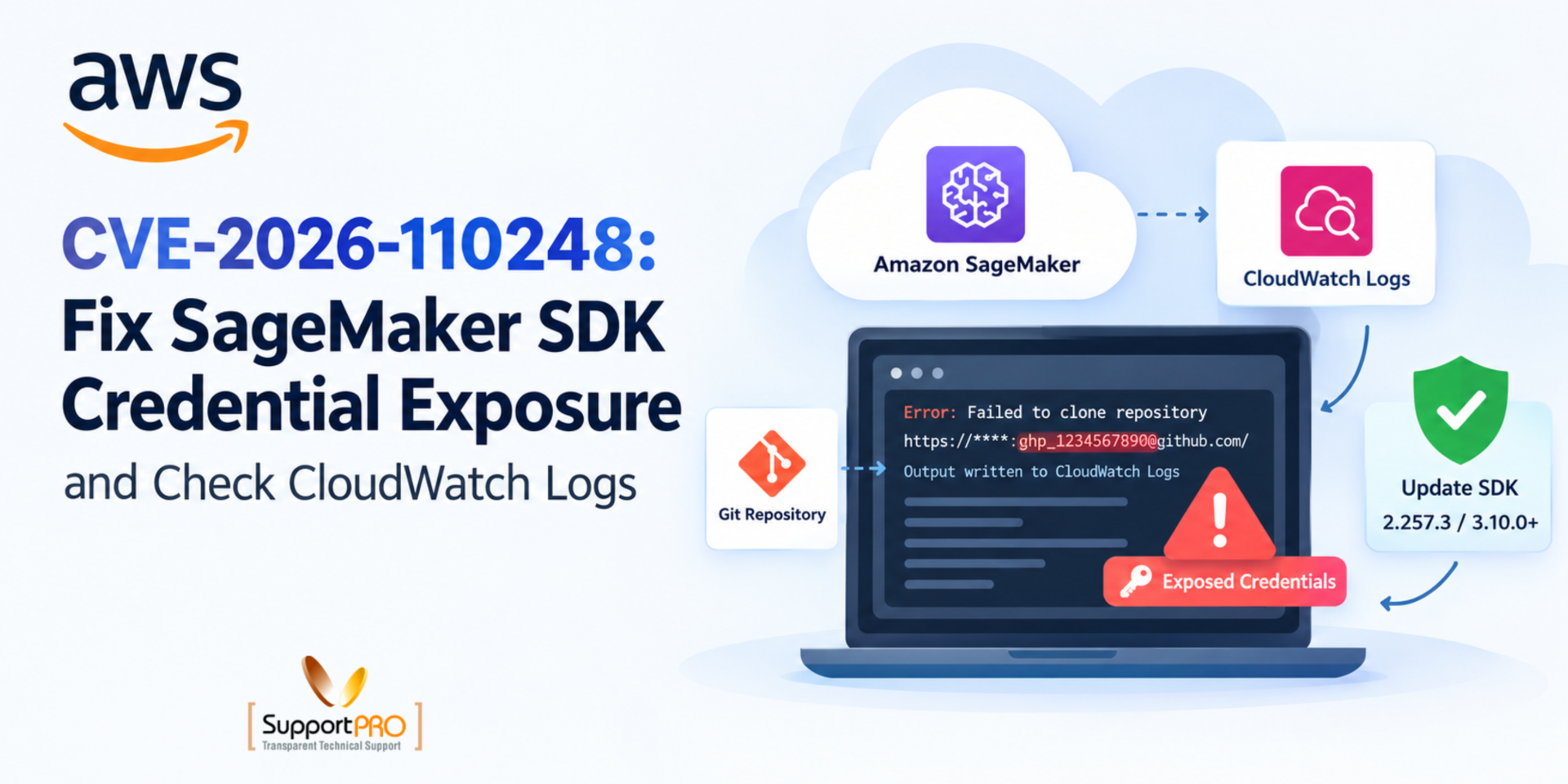
A failed Git clone may seem like a small development issue. But what if the error message contains your Git credentials?
That is the risk behind CVE-2026-110248, a security vulnerability in the Amazon SageMaker Python SDK. When a Git clone operation fails, the SDK may write sensitive repository credentials to Amazon CloudWatch Logs without removing them first.
If someone can access those logs, they could retrieve the exposed credentials and use them to access a private repository.
AWS published its security advisory on October 14, 2026, and released fixed SDK versions. If your team uses Amazon SageMaker for machine learning, now is a good time to check your SDK versions, review relevant logs, and secure any exposed credentials.
In this guide, we’ll explain what the vulnerability means, which SageMaker Python SDK versions are affected, and how to fix CVE-2026-110248 step by step.
What Exactly Is CVE-2026-110248?
The bug lives in a file called git_utils.py inside the SageMaker Python SDK. Here is how it plays out:
1. Your job tries to clone a private Git repository.
2. The clone fails.
3. The SDK writes the error output to CloudWatch Logs.
4. That output can include your repository credentials, with nothing hidden or blocked.
So anyone who can read those logs can read your credentials in plain text. AWS says this person must be signed in and already have access to the logs. Still, many teams share log access more widely than they realize.
Here is an easy way to picture it. Say your machine learning pipeline needs a private repo before a training job starts. The clone fails, and your login details land in the job logs. Nobody meant to share them, but they sit there all the same.
AWS has already released fixed SDK versions and recommends that you upgrade. Acting early is the safest move.
Want to read the source? Here is AWS’s official bulletin: https://aws.amazon.com/security/security-bulletins/2026-134-aws/
Which SageMaker Python SDK Versions Are Affected?
AWS has identified the following affected versions and fixes:
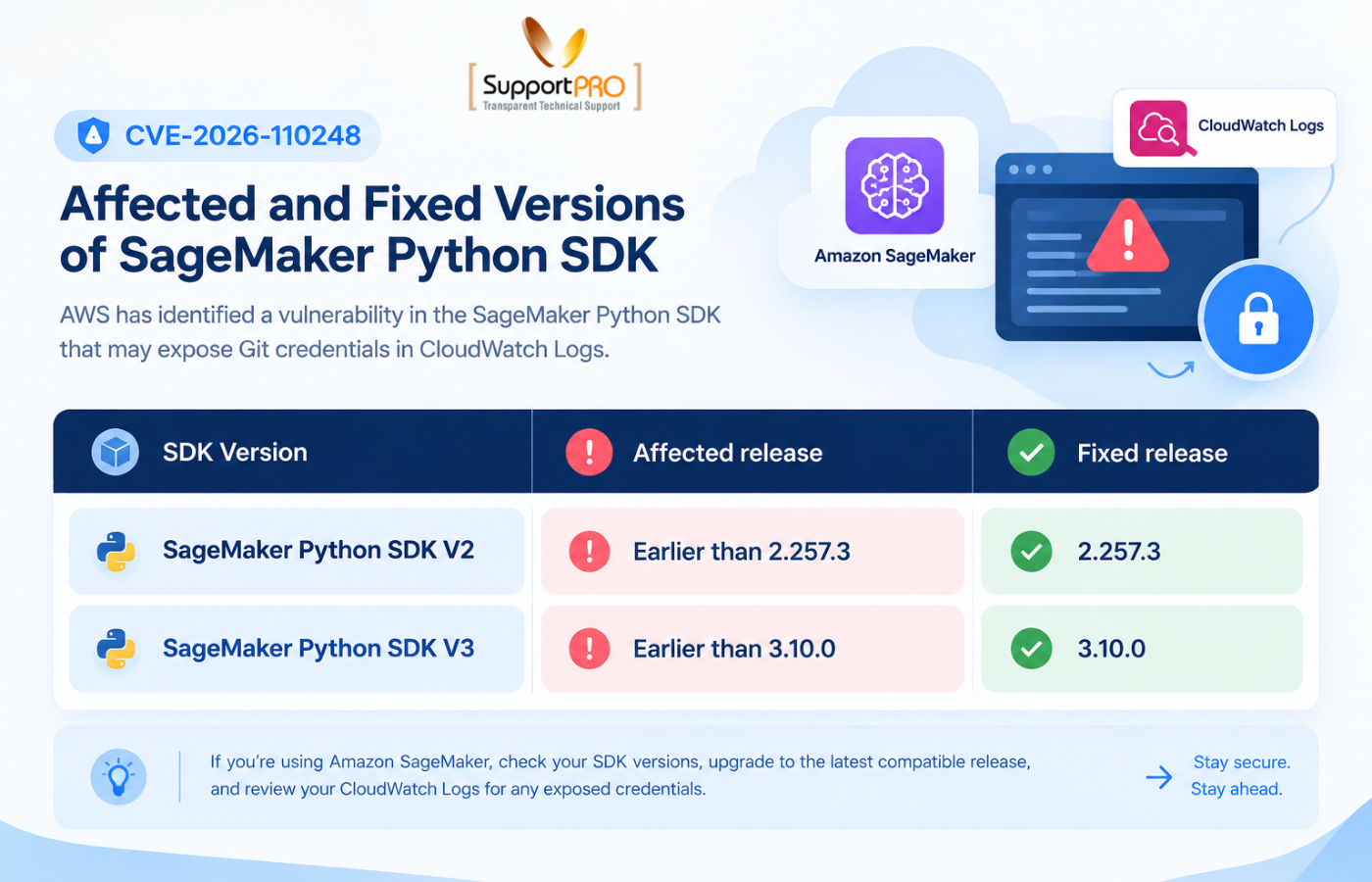
These versions address CVE-2026-110248. However, upgrading to the latest compatible release is preferable to stopping at the minimum fixed version.
Also, check every environment that runs the SDK. Updating your local development machine does not automatically update your notebooks, production containers, or CI/CD pipelines.
How to Fix CVE-2026-110248
You can fix this in five steps. Take them one at a time.
1. See What Version Is Installed
Open your SageMaker Python environment and run this command to check your SageMaker SDK version:
python -m pip show sagemaker
Then compare your version with the table above. Look inside your dependency files and container configs too. Teams often pin an old version during deployment and forget about it.
2. Upgrade
If you use SDK V2, run:
python -m pip install –upgrade “sagemaker>=2.257.3,<3”
If you use SDK V3, run:
python -m pip install –upgrade “sagemaker>=3.10.0”
After the upgrade, test your training jobs and automation to make sure they still work. Update your lock files and rebuild your containers if you need to. If you keep a custom fork of the SDK, add the fix to it as well.
3. Review CloudWatch Logs
Find the log groups that belong to your SageMaker workloads. Then read the logs from the time you ran an older version, and pay special attention to failed Git clone attempts. Look for repo URLs, tokens, passwords and anything else sensitive.
If you find a secret, don’t copy it into chats or tickets. Copying it only spreads the problem.
4. Rotate Exposed Credentials
If you spot a credential in a log, treat it as if someone already took it. Revoke it or replace it right away. Give the new token the minimum permissions it needs. Then check your repo access records for anything unusual. If you’re reviewing exposed credentials across your AWS environment, our guide on responding to exposed AWS access keys explains additional steps for revoking compromised keys, reviewing access, and strengthening your security practices.
5. Check Log Permissions
Review who can open those CloudWatch log groups. That means users, roles and services. Keep access tight, and watch out for cross-account sharing and shared dev environments. Fewer readers means fewer chances for a leak.Can’t upgrade today? Don’t put credentials in your repo URLs, and limit who can read the affected logs until you can.
Access control is an important part of securing AWS resources. You can also learn how to secure AWS access with Session Manager to understand another way to manage access to your cloud infrastructure.
How to Prevent Similar Credential Exposure in the Future
Fixing CVE-2026-110248 is important, but good security practices can help reduce the risk of similar problems.
Here are five habits worth building into your development and cloud operations processes.
1. Keep Dependencies Updated
Security fixes often arrive through new package releases. Monitor relevant security advisories and update vulnerable dependencies promptly. Automated dependency checks can help identify outdated packages before they reach production.
2. Store Credentials Securely
Avoid embedding passwords or access tokens directly in Git repository URLs, source code, or configuration files. Use an appropriate secrets management solution and limit each credential’s permissions to the tasks it needs to perform.
3. Prevent Sensitive Data From Entering Logs
Logs help developers troubleshoot problems, but they should not expose passwords, access tokens, or other secrets. Review logging practices and configure applications to avoid recording sensitive authentication details. Redaction can provide an additional layer of protection, but it should not replace secure credential handling.
4. Automate Security Checks in CI/CD Pipelines
Include dependency scanning and security checks in your continuous integration and continuous delivery (CI/CD) workflows. These checks can help your team catch vulnerable package versions before deploying applications or machine learning workloads.
5. Audit Cloud Access Regularly
Review IAM policies, CloudWatch Logs permissions, and other access controls on a regular basis. Remove unused permissions, restrict access to sensitive information, and investigate unexpected access patterns. Together, these practices help your team manage security risks more consistently instead of responding only when a new vulnerability appears.
For more practical guidance, explore our guide to cloud security best practices to learn how businesses can protect cloud resources and reduce common security risks.
How SupportPRO Can Help With AWS Security and Management
Keeping an AWS environment secure involves more than installing patches. Teams also need to manage access permissions, monitor infrastructure, review configurations, and maintain systems as security requirements change.
SupportPRO provides AWS management and cloud support services to help businesses handle these ongoing responsibilities. Its services include infrastructure management, patch management, user access management, server monitoring, and DevOps support.
If your team is reviewing CVE-2026-110248, SupportPRO can help assess broader AWS management needs, review relevant access controls, and plan ongoing maintenance alongside your internal development and security teams.
Final Thoughts
CVE-2026-110248 is a useful reminder that even routine development errors can create security risks when sensitive information ends up in logs.
If you use Amazon SageMaker, start by checking your SDK version and upgrading any affected environments. Then review relvant CloudWatch Logs, rotate exposed credentials, and tighten access permissions where necessary.
A few targeted checks now can help you reduce the risk of credential misuse and build more secure AWS machine learning workflows over time.
Want to make AWS maintenance easier to manage?
Explore SupportPRO’s AWS Management Services to learn how its team can support your cloud infrastructure.
Facing issues?
Our technical support
engineers can solve it.


