While restoring a cPanel account from one server to another server there is a chance for following error: Account Creation Status: failed (Sorry, a mysql user (let’s take ‘dbuser’) with the name already exists To Delete the user : Please login into the mysql and follow the steps mysql mysql > use mysql; mysql > drop user dbuser@localhost; OR mysql> delete from mysql.user where user=dbuser; You can also check this using : select User, Host from user where User like dbuser; Where dbuser is the user mentioned in the error. If the above mentioned steps do not fix the issue,please follow the below steps. Please check for entries of that usernames in the following files and if there is any, …
Server
Denial-of-service attack (DoS attack) or Distributed Denial-of-service attack (DDoS attack) is an attempt to make a machine or network resource unavailable to its intended users. This attack generally target sites or services hosted on high-profile web servers such as banks, credit card payment gateways, and even root nameservers. DoS attacks are implemented by either forcing the targeted computer to reset, or consuming its resources so that it can no longer provide its services or obstructs the communication media between the users and the victim so that they can no longer communicate adequately. This blog provides you an overview on how to identify DDOS attack using netstat command. Display all active Internet connections to the server and only established connections are …
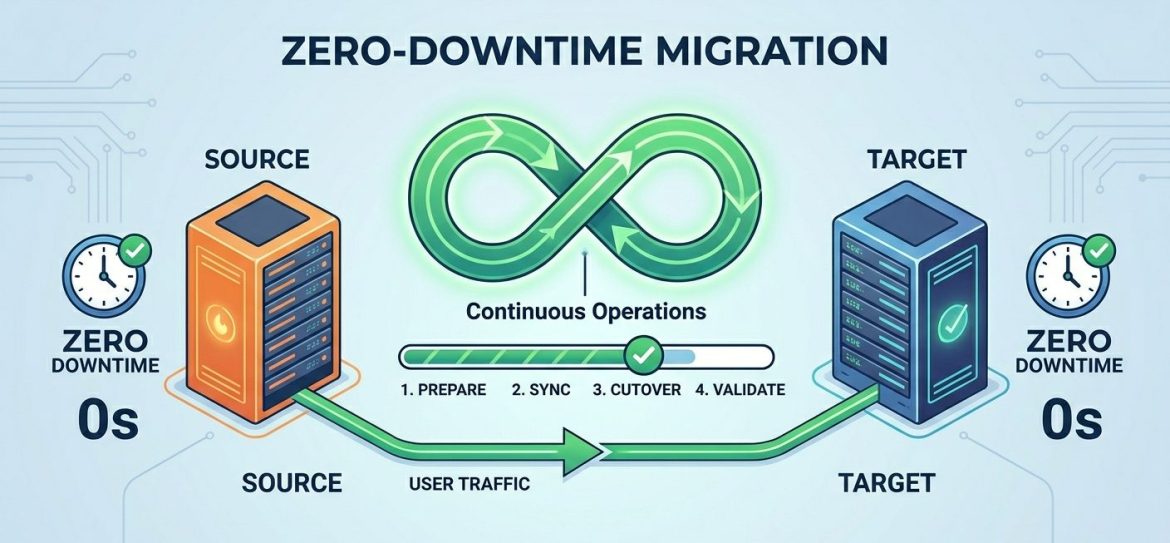
If you manage a website, you’ll likely encounter server migration at some point. This could be due to upgrading to a more powerful server, switching service providers, or updating your software environment for better performance and security. Despite its benefits, server migration often raises concerns – such as data loss, downtime, or website instability. The good news is that with proper planning and execution, you can migrate your web server with zero downtime and no data loss. Let’s walk through the process step by step. 1. Prepare Your DNS When migrating to a new server, your website will typically be assigned a new IP address. However, DNS records are cached globally, which means changes can take up to 48 – …
‘rncd : connection failed : connection refused’ is a common error occurred in cpanel. Inorder to get the name servers work properly we need to eliminate this error. Elimination of this error is a simple process which takes only a few minutes via cPanel /scripts.. The steps to solve the issue is as follows : 1. Login to your server as root via SSH 2. Run: /scripts/updatenow 3. Run: /scripts/fixrndc The above steps should fix most of the cases, but if it does not, do follow the following steps : 1. Login to your server as root via SSH 2. Run: vi /etc/rndc.conf (or vi /etc/namedb/rndc.conf on FreeBSD) replace all instances of “rndc-key” with “rndckey” 3. Run: vi /etc/named.conf (or …
DNS is a critical component of any network infrastructure. It is responsible for translating domain names into IP addresses, making it a prime target for attackers. A compromised DNS server can lead to traffic redirection, data interception, service downtime, and severe reputation damage. The main objective of securing DNS includes ensuring the secure exchange of data between DNS servers, protecting DNS queries, securing zone transfers, and controlling DNS updates. Strengthening DNS security is a foundational step in overall website and server protection, as discussed in SupportPro’s guide on improving website security In this article, we explain one of the most effective DNS-hardening methods: securing DNS using chroot, along with essential configuration considerations. Before proceeding, ensure that you have taken a …
SSH is a tool for secure remote login over insecure networks. It provides an encrypted terminal session with strong authentication of both the server and client, using public-key cryptography. 1. Use Strong Passwords/Usernames choose passwords that contains: Minimum of 8 characters Mix of upper and lower case letters Mix of letters and numbers Non alphanumeric characters (e.g. special characters such as ! ” $ % ^ etc)
How to Fix “PHP Is Not Recognized as an Internal or External Command” in Windows
If you see this error in Command Prompt: it means Windows cannot find the PHP executable file. This happens when the PHP installation directory is not added to the system PATH environment variable. Let’s understand why this happens and how to fix it properly. Why This Error Occurs Windows uses a special environment variable called PATH to locate executable files when you run commands in Command Prompt. If PHP was: then its installation directory may not have been added to PATH. When that happens, Windows doesn’t know where php.exe is located — and the command fails. What Is the PATH Variable? The PATH variable is a list of directories that Windows searches when you type a command. For example: If …
If you want to disable redirection to SSL connection while accessing WHM, cPanel, Webmail, please follows these steps. Login to WHM >> Tweak Setting >> Uncheck the following options under Redirection. Always redirect users to the ssl/tls ports when visiting /cpanel, /webmail, etc. Also you have to uncheck the following option under Security in Tweak Settings. Require SSL for all remote logins to cPanel, WHM and Webmail. This setting is recommended. Also you can disable those options from the shell. SSH to the server as root. Open /var/cpanel/cpanel.config and set the following options to 0 (zero). alwaysredirecttossl requiressl – alwaysredirecttossl=0 requiressl=0 Save the file and exit. If you require help, contact SupportPRO Server Admin Partner with SupportPRO for 24/7 proactive cloud support …
When managing Linux servers, administrators often need to move thousands of files from one directory to another. However, attempting to move a large number of files using the standard mv command may result in an error. This guide explains why the “Argument list too long” error occurs and how to safely move large numbers of files without issues. Why the Error Occurs If you try to move a huge number of files (for example, more than 50,000 files) using: you may see the following error: Reason Linux shells expand * into all filenames before executing the command.When the total character length exceeds the system’s allowed limit, the command fails. This limitation is controlled by the system’s maximum argument length (ARG_MAX). …
If your server are having multiple IP address and you want to send each emails in different IP, then please follow the steps. This is used to maintain the ip reputation. Also, please make sure that this is not used for spamming. 1. vi /etc/exim.conf 2. Search for the line : interface = 3. Replace this line with interface = xxx.xxx.x.1${eval:${substr{-2}{1}{$tod_zulu}}%9+1} 4. If your server is having ip’s from xxx.xxx.x.11 to xxx.xxx.x.20 , you can use above line. +1 is is the starting ip ie xxx.xxx.x.1’1′ and %9 is the increment value ie 11(xxx.xxx.x.11) to how much. Here it is 20 (xxx.xxx.x.20) If you require help, contact SupportPRO Server Admin